

Xenophon
Jose Tomy Joseph · Productivity
Independent analytics for this App Store listing. AppTracker is not affiliated with Jose Tomy Joseph.
Chart standing · US
What changed · US
Listing changes AppTracker has observed for this app in this storefront — new versions, price moves, rating shifts, and store copy.
Xenophon now runs properly on iPad. • A proper iPad layout — your library on one side, the transcript on the other • A fresh look throughout, on both iPhone and iPad • Clearer transcript rows: recordings and imported files now tell themselves apart at a glance • Various fixes, including one to the About screen, which described the speech model as built into the app when it is downloaded on first run
In-app purchases · US
What this app sells inside itself, grouped by kind and priced for this storefront.
Screenshots

About
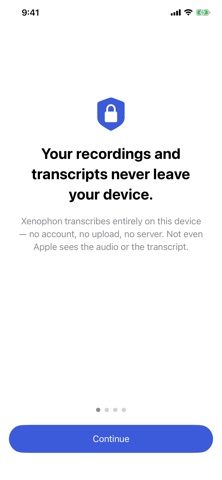
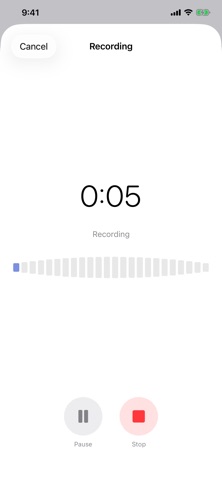
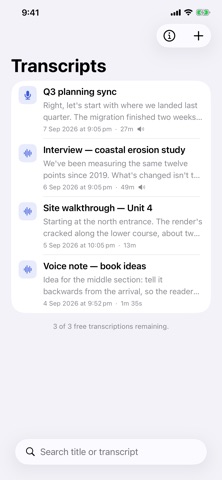
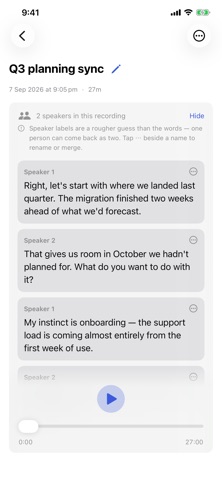
Your recordings never leave your device. Xenophon turns audio into text entirely on your iPhone or iPad. No account. No uploads. No servers. Your recording and transcript stay where they were made — Apple never sees them. Most transcription apps send your audio to someone else's computer. If you interview people, take meeting notes, record site visits, or capture conversations that were never meant for a third party, that's a problem no privacy policy can really fix. Xenophon fixes it by never making the trip. WHAT IT DOES • Record straight into Xenophon, or import an audio file you already have • Transcripts are produced entirely on your device — nothing is uploaded • Identify who spoke when, and name the speakers yourself • Keep everything in a searchable library — search titles and full transcript text • Send audio straight from Voice Memos, Files, or any app with a share sheet • Play the original recording alongside its transcript • Copy, share, or save any transcript as a text file • Rename transcripts, so your library reads like your notes, not your filenames WHO SAID WHAT Ask Xenophon to identify speakers and it separates the conversation into turns, so an interview reads like an interview. Rename them to real names, or merge two labels that turned out to be the same person. This runs on your device like everything else. Speaker labels are a rougher guess than the words themselves, and the app makes that clear where you can check it. SET UP ONCE Xenophon downloads its speech model the first time you use it — one download, over your connection, and then it stays on your device. Transcribing after that needs no connection at all. It also keeps the app itself small. PRICING WITHOUT SURPRISES Three transcriptions are free, so you can check it works on your own audio before paying anything. After that, one payment unlocks unlimited transcriptions for good. No subscription — there's no server to run, so there's no reason to charge you every month. THE ONLY TIMES IT USES THE NETWORK Three, and never for your content: downloading the speech model once when you set Xenophon up, validating your purchase, and fetching the speaker-identification model if you ask for it. After the first setup, transcribing works in airplane mode. Never your audio. Never your transcript.
What's new · 1.1
Xenophon now runs properly on iPad. • A proper iPad layout — your library on one side, the transcript on the other • A fresh look throughout, on both iPhone and iPad • Clearer transcript rows: recordings and imported files now tell themselves apart at a glance • Various fixes, including one to the About screen, which described the speech model as built into the app when it is downloaded on first run
Details