

Mittari
Diogo Resende Rainho · Utilities
Independent analytics for this App Store listing. AppTracker is not affiliated with Diogo Resende Rainho.
Chart standing · US
What changed · US
Listing changes AppTracker has observed for this app in this storefront — new versions, price moves, rating shifts, and store copy.
• A Lock Screen and Home Screen widget shows the count — tap it on the Home Screen to count, without opening Mittari. • Choose how much each tap adds: 1, 5 or 10.
In-app purchases · US
No in-app purchases.
Screenshots



Similar apps
Competitors and close alternatives, as estimated by AppTracker.


About
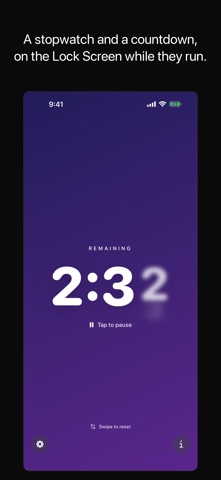
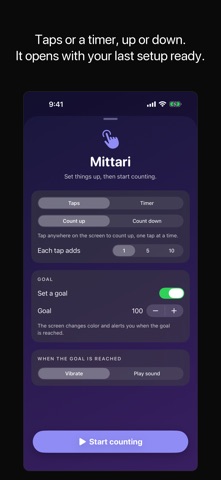
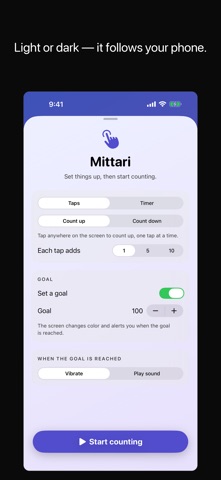
Mittari is a counter the way it should feel: open it, tap anywhere on the screen, and count. Every tap gives a crisp haptic click while the digits spin like a mechanical tally counter. No accounts. No ads. No clutter. Just counting. COUNT ANYTHING, FOUR WAYS - Tap counter: count up, one tap at a time, with an optional goal - Tap countdown: start from any number and count down to zero - Stopwatch: a timed counter you start and pause with a tap - Countdown timer: set minutes and seconds, tap to start FEELS AMAZING - The whole screen is the button, so you never miss - Crisp haptic feedback on every tap, with a stronger pulse every ten - Digits roll up and down like a physical clicker - Ripples follow your fingertip REACH YOUR GOAL When a countdown hits zero or your goal is reached, the whole screen changes color and Mittari vibrates or plays a sound. Your choice. MADE FOR FLOW - Swipe up to reset, like flicking to the next video - Swipe right for settings, swipe left for about - Your mode, values and current count are always remembered - Beautiful in light and dark mode ON YOUR WRIST Mittari comes with an Apple Watch app. Raise your wrist, tap the screen, and count with crisp watch haptics — no iPhone needed, it works standalone. Perfect for counting laps, reps, rows of knitting, people at the door, inventory, habits, days without incident, or anything else you can tap.
What's new · 1.2
• A Lock Screen and Home Screen widget shows the count — tap it on the Home Screen to count, without opening Mittari. • Choose how much each tap adds: 1, 5 or 10.
Details