

Photo Shoot: by NS Apps
Xeniya Bykhova · Photo & Video
Independent analytics for this App Store listing. AppTracker is not affiliated with Xeniya Bykhova.
Chart standing · US
In-app purchases · US
No in-app purchases.
Screenshots
About
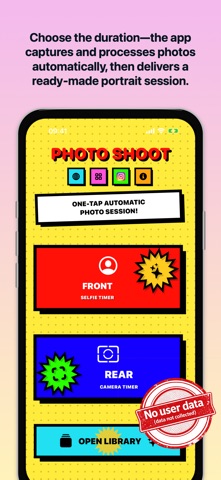
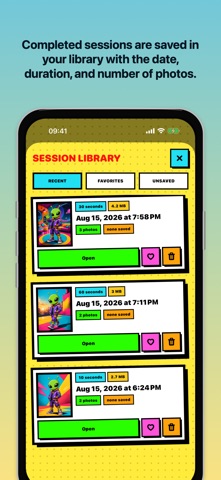
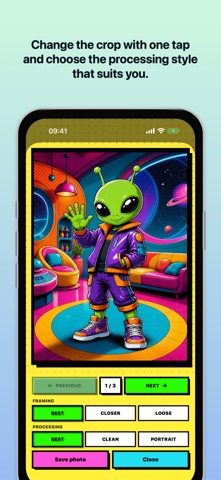
Photo Shoot is an app for automatic portrait sessions without a photographer. Choose the front or rear camera, set the session length, and point the camera at the person. While the timer runs, the app helps you compose the shot, captures a series of photos automatically, then selects and processes the strongest results. There is no need to press the shutter for every photo. TIMED PHOTO SESSIONS Choose the pace that suits you: 10, 30, 60, 120, or 240 seconds. A short session lets you quickly check the lighting and pose, while a longer one gives you more time to change the angle, expression, and position in the frame. Start the session—the camera handles the rest. SMART PHOTO SELECTION After the timer ends, Photo Shoot analyzes the series and assembles the best photos. It considers: - sharpness; - face and pose; - lighting; - composition; - variety within the series. Instead of dozens of nearly identical photos, you get a ready-to-review selection of successful portraits. SESSION LIBRARY Each completed series is saved in a local library. Every session card shows the date, duration, number of photos, and save status. - Open previous photo sessions at any time. - Mark favorite series. - Browse recent, favorite, and unsaved sessions. - Return to any series and save only the photos you need. CUSTOMIZE THE FINAL SHOT Each photo includes crop options: - “Best” — the recommended crop; - “Closer” — more emphasis on the face and person; - “Wide” — more space around the person. Processing options are also available: - “Best” — the recommended processing; - “Clean” — a natural-looking image; - “Portrait” — gentle background blur that keeps attention on the person. Choose the version you prefer and save it to your iPhone photo library only when you decide to. PRIVACY BY DESIGN Capture, analysis, and processing happen on your device. - No account or registration. - No photos sent to a server. - No cloud processing for photo selection. - No ad trackers or third-party analytics. - Selected photos are added to Photos only after your action. Point the camera, start the timer, and create portrait series.
Details