

AI Fashion. Dress me up
OANA RINALDI · Lifestyle
Independent analytics for this App Store listing. AppTracker is not affiliated with OANA RINALDI.
Chart standing · US
What changed · US
Listing changes AppTracker has observed for this app in this storefront — new versions, price moves, rating shifts, and store copy.
• New: create looks without an OpenAI account. Choose Monthly (30 credits) or Pro (100 credits) each month, or buy a credit pack. Your own API key still works, free. • Smoother with lots of looks: photos are resized when picked and images load in the background, so the app stays fast and light.
In-app purchases · US
No in-app purchases.
Screenshots





About
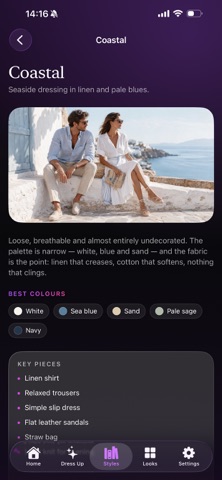
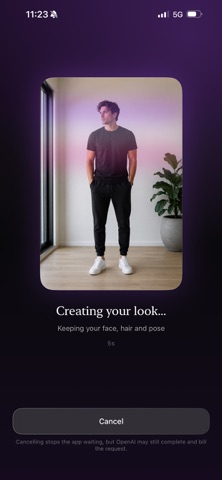
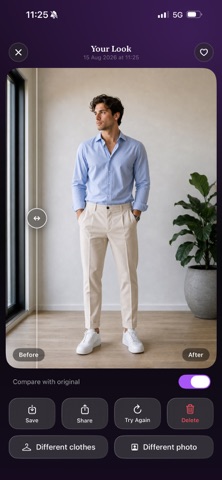
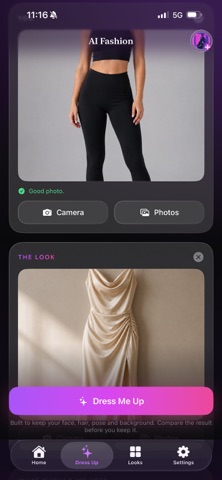
AI Fashion shows you what you'd look like in clothes you haven't bought. Add a photo of yourself. Add a photo of an outfit — from a shop, a screenshot, a friend's post, a hanger in your wardrobe. Tap Dress Me Up, and the clothes are put onto your photo. HOW IT WORKS Two photos and one button. Choose whether you want the whole outfit or just one piece of it — the jacket, the trousers, the shoes — and add a note if you want something specific. Every result opens on a before-and-after slider so you can drag between your original photo and the new one, and judge the result for yourself. BUILT TO KEEP YOU LOOKING LIKE YOU The instruction sent with your photo asks for your face, hair, body, pose, background and lighting to be left alone, and for only the clothing to change. Image models regenerate rather than cut and paste, so the likeness is not guaranteed to be perfect — which is exactly why the comparison slider is there instead of a promise. A STYLE GUIDE THAT WORKS OFFLINE Fourteen fashion styles, from Quiet Luxury to Y2K, each with the colours that carry it, the pieces that define it, the fabrics that matter, what it's good for, where it usually goes wrong, and three complete outfits you could wear tomorrow. There's also a six-question "What's my style?" quiz, scored entirely on your iPhone. No account, no key and no internet needed for any of it. YOUR PHOTOS STAY ON YOUR DEVICE Every look you make is stored in the app's own storage on this device. There is no sign-in and nothing syncs. Delete the app and it all goes with it. The two photos you pick for a generation are sent to OpenAI, because that is where the image is made — it cannot be done on the device. We say so plainly in the app rather than burying it. You can set looks to delete automatically after 7, 30 or 90 days, or clear everything from Settings whenever you want. TWO WAYS TO CREATE Free with your own OpenAI API key: OpenAI bills you directly, a few cents per look. Your key is stored in the iOS Keychain, kept off backups, and sent nowhere except OpenAI. Or pick a plan and start straight away, no OpenAI account needed: • Monthly — 30 credits every month • Pro — 100 credits every month • Credit packs of 15 or 50 that never expire A Draft or Standard look uses 1 credit, Best quality uses 3. Subscriptions renew automatically until cancelled in your App Store account settings. The style guide works in full with no key and no plan. USE IT ON YOURSELF Please use this on your own photos, or on people who've agreed to it. Terms of Use: https://www.apple.com/legal/internet-services/itunes/dev/stdeula/ Privacy Policy: https://oanarinaldi.com/aifashionprivacy.html
What's new · 1.1
• New: create looks without an OpenAI account. Choose Monthly (30 credits) or Pro (100 credits) each month, or buy a credit pack. Your own API key still works, free. • Smoother with lots of looks: photos are resized when picked and images load in the background, so the app stays fast and light.
Details