

Pencil: Image Editing Canvas
PongYin Siu · Graphics & Design
Independent analytics for this App Store listing. AppTracker is not affiliated with PongYin Siu.
Chart standing · US
Screenshots



About
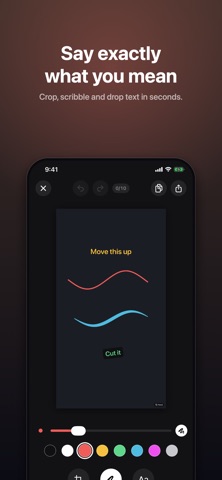
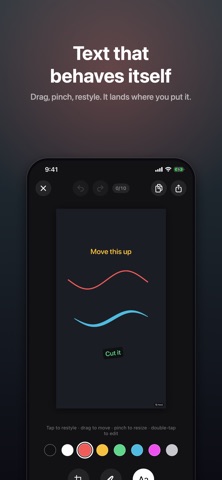
You have a screenshot on your Mac. You need to circle one button and write "move this up". Opening a full image editor for that is absurd. Pencil is the thirty-second version. Copy on your Mac, paste on your phone, mark it up, copy it back. Universal Clipboard carries it both ways, so nothing is emailed to yourself and nothing is saved to disk. FOUR WAYS TO START • Paste — copied on your Mac, it's already here • Camera — shoot it and mark it up straight away • Photos — pick anything from your library • Blank canvas — sketch a diagram from nothing THREE TOOLS, NO MENUS • Crop — free-form, with grips at every corner and edge • Sketch — eight colours and a thickness slider from hairline to marker. Strokes taper with the speed of your hand, so they look drawn rather than plotted • Text — tap to place, drag to move, pinch to resize, tap again to switch to a high-contrast pill. Drag it onto the bin to delete BUILT FOR SPEED • Two-finger pinch to zoom and pan, so you can point at a 12px button precisely • Undo and redo on everything • Copy tells you the exact pixel size and file size, and reminds you how to paste on the Mac • Share arrives with a real filename, not "Image" EXPORT THAT MATCHES WHAT YOU SEE A pasted 4K screenshot comes back out at 4K. The preview and the export are rendered by the same code, so what you see is what lands on the clipboard. PENCIL PRO — ONE PAYMENT Try everything free for three days. After that, Pro is a single purchase, not a subscription: • 500 undo steps instead of 10 — and any steps held back while you were on the free tier come straight back • 100 days of canvas history, with strokes and text still editable, not flattened • Exports without the watermark No account. No sign-in. No analytics. Nothing leaves your device unless you send it somewhere yourself.
Details