

Bulk Receipt Scanner
Zyzyva LLC · Finance
Independent analytics for this App Store listing. AppTracker is not affiliated with Zyzyva LLC.
Chart standing · US
What changed · US
Listing changes AppTracker has observed for this app in this storefront — new versions, price moves, rating shifts, and store copy.
Improved App Store search visibility.
Screenshots



About
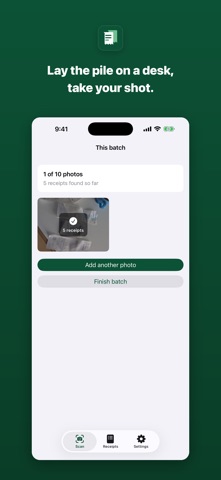
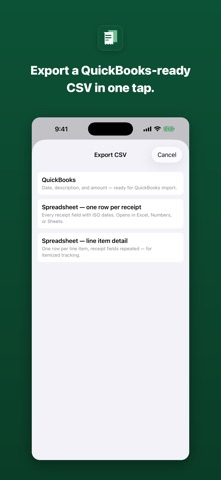
One photo. The whole desk. Most receipt apps make you photograph receipts one at a time. Bulk Receipt Scanner reads a whole pile from a single photo — spread them out, shoot once, and every receipt comes back separated, itemized, and ready to edit. HOW IT WORKS 1. Spread your receipts out and take one photo. 2. Review what we pulled out — vendor, date, total, tax, payment method, and line items. Fix anything that needs fixing. 3. Export a CSV and get on with your day. WHAT WE PULL OUT • Vendor, date, and total • Tax and payment method • Line-item detail, for when a single receipt spans several categories EXPORT THAT FITS YOUR BOOKS Three CSV formats: QuickBooks-ready, plain generic, or detailed with every line item. Share straight out of the app — email it to your bookkeeper, drop it in Files, or send it to your desktop. BUILT FOR PEOPLE WITH A PILE Freelancers at tax time. Contractors with a truck full of receipts. Anyone who has ever put off a shoebox until April. If you have thirty receipts and twenty minutes, this is twenty minutes. YOUR RECEIPTS STAY YOURS Receipts scan on your phone and sync to your account. Nothing is sold, and nothing goes to a third-party service. Delete your account and it all goes with it. Scanning requires a free Bulk Receipt Scanner account. A paid plan adds a direct QuickBooks Online connection, so receipts post to your books without the CSV step.
What's new · 1.0.1
Improved App Store search visibility.
Details