

Log Cam: RAW 4K Video Camera
Mehmet Ali Kisacik · Photo & Video
Independent analytics for this App Store listing. AppTracker is not affiliated with Mehmet Ali Kisacik.
Chart standing · US
What changed · US
Listing changes AppTracker has observed for this app in this storefront — new versions, price moves, rating shifts, and store copy.
Clearer storage warnings and more reliable gallery deletion. Storage warnings now reflect your current remaining recording time. If permanent deletion is interrupted, you can retry it from Recently Deleted. This update also improves deletion reliability on external storage. Thank you for using Log Cam.
Ratings breakdown · US
The star breakdown behind this app's rating in this storefront.
In-app purchases · US
What this app sells inside itself, grouped by kind and priced for this storefront.
Screenshots


About
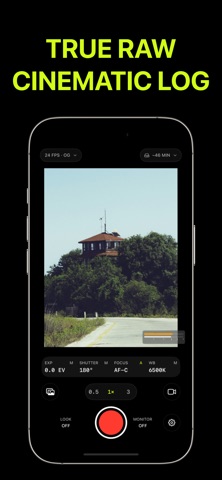
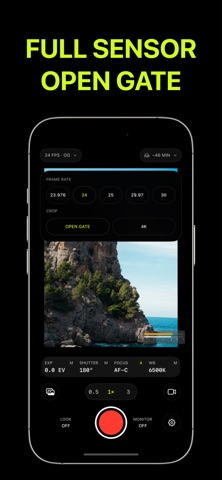
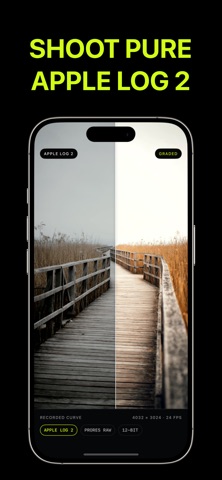
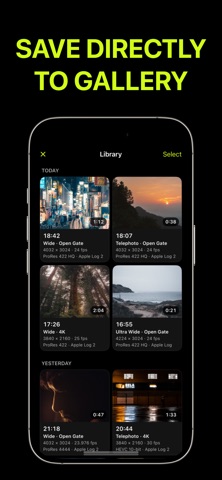
Log Cam records video in Apple Log on your iPhone. The app gives you the manual controls and the file formats that a color grade needs. RECORDING FORMATS • ProRes 422, ProRes 422 HQ, and ProRes 422 LT • HEVC 4:2:0 and HEVC 4:4:4, from 30 to 500 Mbps • Open Gate. The app records the full height of the sensor. You can change the frame after you record. • 4K 3840x2160 • 23.976, 24, 25, 29.97, and 30 frames per second LOG AND COLOR • Apple Log and Apple Log 2 • LogC3, S-Log3, V-Log, F-Log, and F-Log2 • Rec709, Rec709 with Cineon film log, HLG, and PQ • The app writes the correct color tags into each file. Your editor reads the file correctly on import. MANUAL CONTROL • Shutter speed and ISO, with a shutter-priority mode • Manual focus with a lens-position slider • Manual white balance with temperature and tint • Exposure, focus, and white balance lock at the start of a take • One option keeps the focus and exposure sliders live during a take • The ultra-wide, wide, and telephoto cameras your iPhone has MONITOR TOOLS • Import your own .cube LUT. Use the LUT on the monitor only, or write it into the file. • False color, zebras with selectable IRE thresholds, and a linear histogram • Focus punch-in. The picture magnifies while you set the focus. • Grid, horizon indicator, and 180 degree rotation • Anamorphic desqueeze at 1.33x, 1.5x, and 1.55x • Vignette correction, noise reduction, and two debayer quality levels FILES AND AUDIO • Record to the iPhone, or to an external drive • The gallery in the app lists every take. Play a take, examine its data, and share it. • The app writes a Gyroflow GCSV file for each take. Stabilize the take later in Gyroflow. • Back stereo, front stereo, and bottom mono microphones • Wired external microphones, with live level meters for the left and right channels • If a wired microphone disconnects during a take, the app stops the take. One option changes to the built-in microphone instead. The app keeps all settings between launches. Terms of Use (EULA): https://www.apple.com/legal/internet-services/itunes/dev/stdeula/
What's new · 1.1.4
Clearer storage warnings and more reliable gallery deletion. Storage warnings now reflect your current remaining recording time. If permanent deletion is interrupted, you can retry it from Recently Deleted. This update also improves deletion reliability on external storage. Thank you for using Log Cam.
Details