

PaperTrace Light Table
Michael Furø · Graphics & Design
Independent analytics for this App Store listing. AppTracker is not affiliated with Michael Furø.
Chart standing · US
What changed · US
Listing changes AppTracker has observed for this app in this storefront — new versions, price moves, rating shifts, and store copy.
Lock now keeps the screen in the orientation you chose, including landscape with the phone flat on the table. Press + or − twice to open, or hold a corner.
Screenshots



About
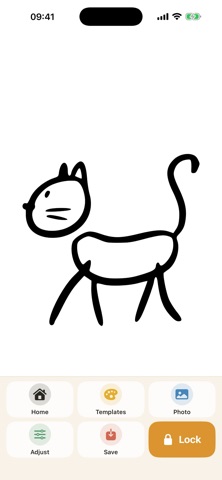
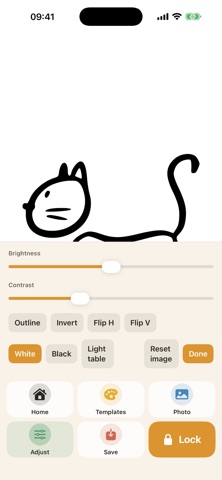
PaperTrace turns your iPhone or iPad into a light table. Pick a template or a photo, put a sheet on the screen, and trace. How to trace Pick a template, a photo from your library, or take a picture. Place a sheet on the screen, then tap Lock. The picture stays still, and the screen stays in that orientation. Press + or − two times on the side of the phone to open. You can also hold a corner. That works with paper still on the glass. PaperTrace remembers your last pictures. Save a drawing to keep it in History. For kids In iOS Settings, turn on Guided Access and turn Touch off. That stops the screen from reacting at all. Templates Twenty simple line drawings: animals, vehicles, nature, fantasy, and fun. Ready to trace in pencil. Your own pictures Choose from the photo library or photograph a drawing you want to trace. Brightness, contrast, outline, and invert help the picture show through the paper. Light table A blank white screen at full brightness when you only need the light. History Recent pictures stay ready. Save the ones you want to come back to. PaperTrace is free. No account, no cloud. Pictures stay on the phone.
What's new · 1.0.1
Lock now keeps the screen in the orientation you chose, including landscape with the phone flat on the table. Press + or − twice to open, or hold a corner.
Details