

NOKORU: PDF Flashcards
yunosuke yata · Education
Independent analytics for this App Store listing. AppTracker is not affiliated with yunosuke yata.
Chart standing · US
What changed · US
Listing changes AppTracker has observed for this app in this storefront — new versions, price moves, rating shifts, and store copy.
A rebuilt first-run experience: bigger text and art, and the mascot's colorful friends pop onto the screen. The card-making entry is cleaner and easier to read, and the white backgrounds are a touch softer.
Screenshots




About
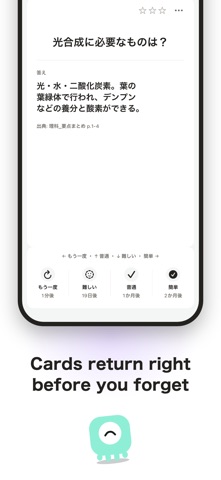
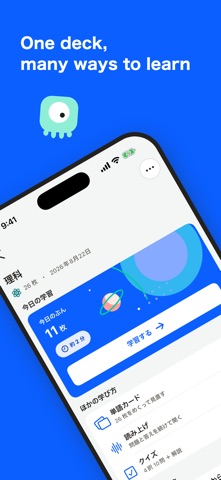
Point your camera at a textbook or your notes, and Memosh reads it into flashcards. Scanned pages and PDFs both work — the time you spent typing cards out goes back into learning them. ■ Snap it, or import a PDF Shoot pages with the built-in document scanner — it straightens the page and reads the text into cards. For PDFs, just pick a page range. Scanned PDFs whose text cannot be extracted are read as images instead, so material you scanned from paper still works. ■ Four kinds of card • Basic — a question on the front, the answer on the back • Cloze — fill in the blanked-out part of a sentence • Term and definition — the term on the front, its definition on the back • Multiple choice — pick the right one from four options Choose whichever suits the material. ■ Back again, just before you forget After each card you pick Again, Hard, Good, or Easy, and that decides when it returns. Cards you know well spread further apart; shaky ones come back sooner. Your review time concentrates on what you have not learned yet. ■ Set your own pace Each deck can cap how many new cards and how many reviews it shows per day. Cards you keep getting wrong are flagged automatically, and you can set one aside and bring it back later. ■ Check that it stuck Turn your cards into a quiz and answer them as multiple choice. Past attempts are kept in a history, and your day-to-day progress shows up as a heatmap. ■ Audio and images Attach a photo or a recording to either side of a card — useful for subjects that need pronunciation or diagrams. ■ No account, free There is nothing to sign up for and nothing to log into. Your cards are stored on your device and are never shared. Reviewing works offline; only generating new cards needs a connection. AI generation is limited to 60 requests per day, and resets when the date changes. Available in Japanese, English, and Korean.
What's new · 1.1.5
A rebuilt first-run experience: bigger text and art, and the mascot's colorful friends pop onto the screen. The card-making entry is cleaner and easier to read, and the white backgrounds are a touch softer.
Details