

Kihya Memo: Notes & Markdown
Kihya Co.,Ltd. · Productivity
Independent analytics for this App Store listing. AppTracker is not affiliated with Kihya Co.,Ltd.
Chart standing · US
In-app purchases · US
No in-app purchases.
Screenshots


About
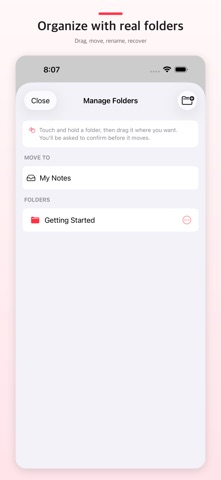
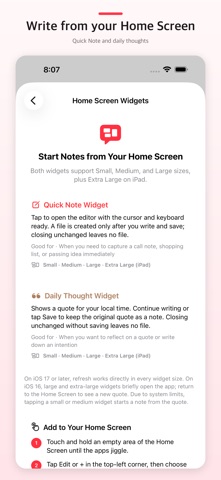
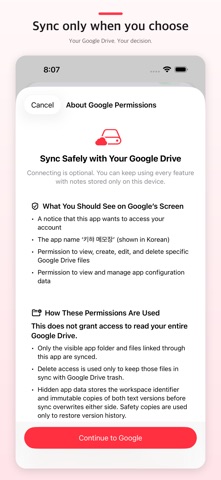
Kihya Memo is a lightweight, offline-first Markdown notepad. Write the source directly, use focused formatting tools, and switch to a beautiful native preview while every note remains a file you can keep. Markdown is the heart of the app. When needed, the same plain-text editor also opens safe UTF-8 text and source documents without converting them to a proprietary database. There is no Kihya account to create and no required Kihya memo server. Google Drive sync and remote server folders are optional. KEY FEATURES • Switch instantly between Markdown source and native preview • Toggle task checkboxes directly in preview • Use focused Markdown tools for headings, lists, bold, italic, strike, code, links, attachments, and underline • Convert pasted rich text into clean Markdown • Create, edit, rename, move, and share HTML, JSON, XML, CSV, PHP, ASP, JavaScript, SQL, and other UTF-8 text or source files when needed • Live syntax colors and line numbers without adding formatting to the file • Static HTML/SVG, pretty JSON/XML, table, calendar, contact, and color-source previews • Plain-text copy and paste for code; rich-text conversion only inside Markdown • Import photos, PDFs, archives, and other files from Photos or Files • Drag, rename, move, and safely remove nested folders in a dedicated manager • Search file names and full note contents • Find, Replace, and Replace All from the title menu, with case options, regex, and capture groups • Choose Save, Discard Changes, or Keep Editing when leaving an unsaved note • Move, rename, trash, or open past versions from the title menu • Open Recently Deleted from the folder list to restore items to their original location or delete them permanently • Optionally protect Recently Deleted with Face ID, Touch ID, or the device passcode • Keep pre-save versions locally and load one into the editor without saving it immediately • Recover the latest local edit draft after an unexpected app termination • Optional marker-texture highlighting for bold and underlined preview text • Preview local images and open clearly marked local-file links • Open and share editable text, source documents, and stored files through the system Files app • Optionally sync original files through a visible app folder in your own Google Drive • Add SFTP, plain FTP, explicit FTPS, or implicit FTPS servers as remote folders, with local recovery drafts, history, conflict detection, and verified saves • Export the visible folder tree as a ZIP without trash or private history • Start writing instantly from a resizable Quick Note Home Screen widget • See a sourced daily thought matched to morning, afternoon, evening, or night • Continue writing beneath a thought and share it as a 4:5 image card • Open a favorite document in full-screen reading mode from the Home Screen • Five bundled Korean typefaces in addition to the system font • Native phone navigation and an iPad three-pane or full-screen editor PRIVACY BY DESIGN • No Kihya sign-up or required login • No ads or cross-app tracking • Google Drive connects only when you choose it; notes are never sent to a Kihya server • Remote connections go directly from your device to the server you enter; credentials use device-only protected storage and remote contents, hosts, paths, and user names are excluded from analytics • SFTP and FTPS are encrypted. Plain FTP is visibly marked and requires a separate warning because its credentials, file names, and contents are not encrypted • Firebase usage events never include note text, file names, searches, or Google account details • Access is limited to local files and files the user explicitly selects • Normal history and recovery drafts stay on device; pre-overwrite sync text is also protected in hidden app data in your Drive
What's new · 1.1.0
Kihya Memo got its server-room badge. • Edit supported UTF-8 text/source files in SFTP, FTP, and FTPS remote folders. • Verified saves, conflict detection, recovery drafts, and local history help protect remote work. • More formats now get syntax colors, line numbers, and regex Find & Replace. • Smoother Drive sync, stability fixes, and a fresh icon.
Details