

RecoBooth — Studio Recorder
Toshihiko Arai · Utilities
Independent analytics for this App Store listing. AppTracker is not affiliated with Toshihiko Arai.
Chart standing · US
What changed · US
Listing changes AppTracker has observed for this app in this storefront — new versions, price moves, rating shifts, and store copy.
- Start recording without unlocking your iPhone (iOS 18 or later). Use Control Center, the Lock Screen widget or buttons, the Action button, or ask Siri to "Record with RecoBooth". While recording, the elapsed time and a stop button appear on the Lock Screen and in the Dynamic Island. - The tutorial sample is now a real interview recorded at a venue. - On devices set to a language the app doesn't support, the app is now shown in English.
In-app purchases · US
What this app sells inside itself, grouped by kind and priced for this storefront.
Screenshots
About
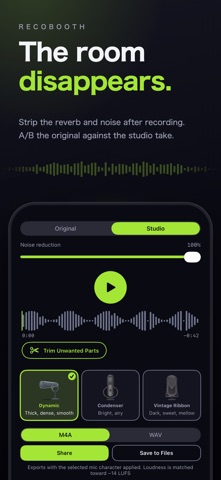
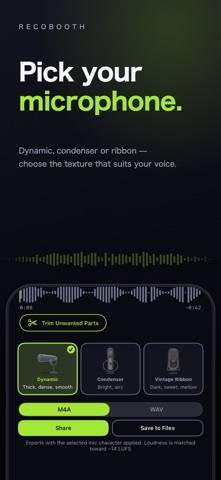
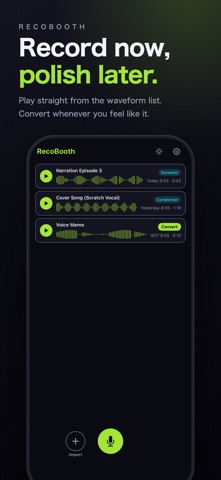
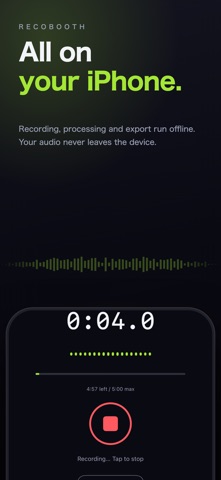
RecoBooth is a voice recorder that removes room reverb and noise, making your voice sound like it was recorded in a studio. Voices recorded in ordinary rooms pick up reflections from walls and ceilings. The moment you stop recording, RecoBooth's on-device AI noise and reverb removal (DeepFilterNet3) turns it into a clean, dry voice in seconds. ■ Great for - Narration, reading practice, voice memos - Cover songs and scratch takes - Voice tracks for videos and podcasts ■ Features - All processing happens on your device, so it works offline - One-tap A/B comparison between original and studio sound - Mic characters (dynamic / condenser / ribbon) to shape the tone - Detects and suppresses room resonances automatically - Shows the microphone in use, including external mics and audio interfaces - Waveform trimming, with export levelled to around -14 LUFS - Import a video, clean up just its audio, and export it back (the video is never re-encoded) - Import audio files too, such as Voice Memos (m4a, mp3, wav and more) - Background recording — keep recording with the screen off - iPad support. On a wide landscape screen your recordings stay in a list on the left while the studio fills the right - Five accent colours, light / dark appearance, and full text-size support ■ RecoBooth Pro (one-time purchase) - Export lossless WAV — the format to hand to your editing software - Record or import audio and video up to 2 hours at a time (5 minutes on the free version) - No more full-screen ad after each conversion - Future Pro features are included at no extra cost Recordings and imported audio or video are up to 5 minutes each (2 hours with Pro), captured at 48 kHz, exported as M4A or, with Pro, WAV.
What's new · 26.10.8
- Start recording without unlocking your iPhone (iOS 18 or later). Use Control Center, the Lock Screen widget or buttons, the Action button, or ask Siri to "Record with RecoBooth". While recording, the elapsed time and a stop button appear on the Lock Screen and in the Dynamic Island. - The tutorial sample is now a real interview recorded at a venue. - On devices set to a language the app doesn't support, the app is now shown in English.
Details