

ScanEditor - OCR Text Editor
Kouichi Abe · Utilities
Independent analytics for this App Store listing. AppTracker is not affiliated with Kouichi Abe.
Chart standing · US
What changed · US
Listing changes AppTracker has observed for this app in this storefront — new versions, price moves, rating shifts, and store copy.
In-app purchases · US
No in-app purchases.
Screenshots

About
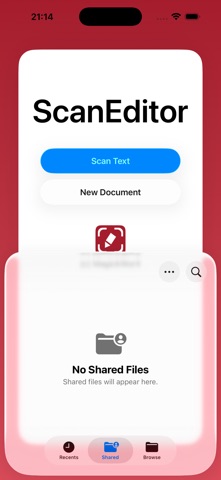
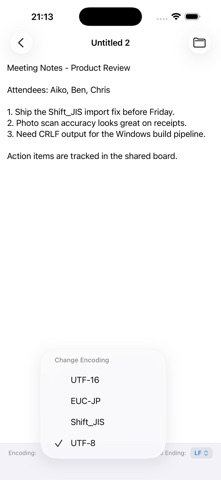
Turn any photo, document, or camera shot into editable plain text — then get the encoding and line endings exactly right. ScanEditor pairs a powerful text scanner with a precise plain text editor built for people who need real control over their files, not just another pretty writing app. SCAN TEXT FROM ANYWHERE • Camera scanning — Point your camera at a page, whiteboard, or label and capture text in real time with on-device text recognition. • Tap or drag to select — Pick exactly the lines or blocks you want, one tap at a time or by dragging across multiple blocks at once. • Capture everything at once — Grab every line of text visible on screen in a single action. • Import from Photos — Already have a picture of a document? Pull text out of any photo in your library using Live Text's interactive selection, or run one-tap full-page recognition. • Review before you commit — Every scan opens in a preview and edit screen first, so you can fix misreads and trim extra lines before it becomes a document. A REAL TEXT EDITOR UNDERNEATH • Automatic encoding detection — Opens existing text files and automatically detects their character encoding (UTF-8, Shift_JIS, EUC-JP, and more), so nothing gets garbled. • Preserves your original encoding — Saving an existing file keeps the encoding it was opened with, by default. • Manual encoding conversion — Switch a file's encoding on demand (UTF-8, UTF-16, Shift_JIS, EUC-JP, and more), with a clear warning if any characters can't be losslessly converted. • Line ending detection & conversion — See and change CR, LF, and CRLF line endings, applied cleanly the next time you save. • Files app integration — Create, open, and edit files stored locally or in iCloud Drive, and edit files that live inside other apps' folders in place. • Built for large files — A custom text editing engine keeps typing responsive even in large documents, instead of freezing up. • Beyond .txt — Also opens JSON, HTML, and CSS files as plain text. ScanEditor doesn't try to be a full IDE or rich text processor. It's a focused tool for anyone who needs to turn a photo or a page into text — and then know, precisely, what encoding and line endings that text is saved with.
Details