

Mapstead: Photo Travel Map
Ryo Sato · Travel
Independent analytics for this App Store listing. AppTracker is not affiliated with Ryo Sato.
Chart standing · US
Screenshots

About
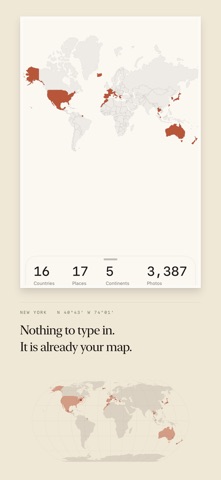
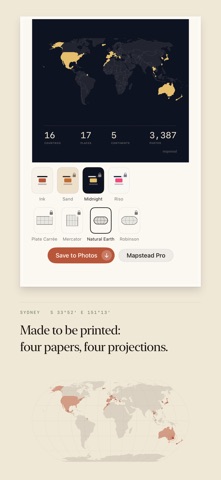
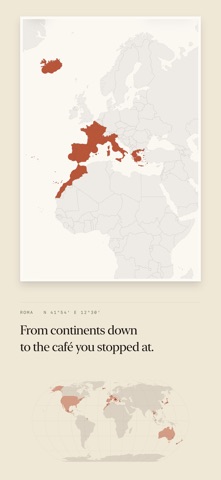
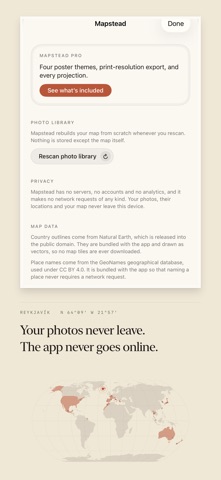
Your photos already carry the places you took them. Mapstead reads only that, and draws the world you have travelled. There is no screen for typing a destination in. Here is the same map at four scales. THE WORLD — already coloured in when you open it Mapstead reads your photo library, works out which countries your geotagged photos fall in, and lays the colour down. All you do is allow the scan. No itineraries to register, no checking in, no journal to write up afterwards. COUNTRIES, THEN STREETS — it divides as you zoom Zoom in and countries separate into cities, and cities into the individual places you stopped at. Trips are detected from the dates and distances alone, with the days you stayed and the photographs you took. Follow any place on the map and the photos you took there open with it. PAPER — exported as something you can hang Any map exports as a poster: a portrait sheet typeset with your countries, places, continents and photographs. Save it, send it, or print it and put it on a wall. Every border is drawn as vector artwork, so it holds its edge at any size. THIS DEVICE ONLY — it never connects Mapstead has no servers, no accounts and no analytics, and makes no network requests of any kind. Your photos, their locations and the finished map never leave this device. Every feature works in airplane mode. MAPSTEAD PRO (one-time purchase) Poster themes go from one to four (Ink, Sand, Midnight, Riso), export moves up to print resolution, and the projection becomes yours to choose: Natural Earth, Robinson, Mercator or Plate Carrée. The poster wordmark comes off too. Not a subscription. No advertising. The map, your places and your trips stay unlimited without it. BEFORE YOU START A photo only carries a location if Location Services was on for the Camera when you took it. Photos taken with it off will not appear on the map. Settings → Privacy & Security → Location Services → Camera.
Details