

SmartWake: Watch Alarm
Mehmet Oztrk · Utilities
Independent analytics for this App Store listing. AppTracker is not affiliated with Mehmet Oztrk.
Chart standing · US
What changed · US
Listing changes AppTracker has observed for this app in this storefront — new versions, price moves, rating shifts, and store copy.
NEW • Night summary: tap any recent night in Statistics to see what woke you, when you started to stir, and your movement and heart rate through the wake window. • Morning check-in: after the alarm, your Apple Watch asks how you woke up. Statistics then compare how smart wakes felt with wakes at your latest time. • Bedtime: set a sleep goal and an optional nightly wind-down reminder in Settings → Bedtime. • PDF sleep report: share a printable report of your nights from Statistics. The CSV export now lives in Settings → Data. • Backup Only: Apple Watch can only start a smart wake while SmartWake is open on it. When an alarm is set from your iPhone, a widget or Siri, SmartWake now tells you everywhere that smart wake isn't on yet, and reminds you at bedtime so you can turn it on with one tap. Your backup alarm still rings. IMPROVED • More accurate wake detection: a single bump against the mattress no longer counts as light sleep, and short windows, including snoozes, can now wake you at the right moment. • Your watch keeps two months of nights instead of one. • When your watch is out of reach, Statistics tells you how to bring them up to date. FIXED • In rare cases, an alarm you had turned off could st • If the watch alarm stopped unexpectedly while ringing, the backup alarm now takes over. • A one-time alarm could set itself again for the nex • Widgets, the watch face complication and the Live Activity now update right away when you change an alarm's time. • "Wake Me Now" tapped long after an alarm no longer statistics. • Statistics left open overnight now pick up the morning's wake. • Better contrast and VoiceOver support.
In-app purchases · US
No in-app purchases.
Screenshots




Similar apps
Competitors and close alternatives, as estimated by AppTracker.



About
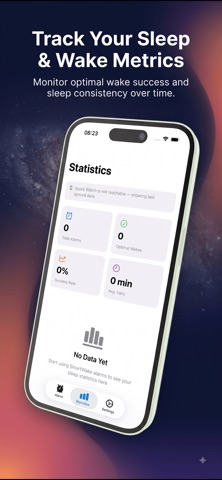
Alarms go off at a fixed time. SmartWake goes off at the right moment. Set the latest time you must be up and a window of up to 30 minutes. During that window, your Apple Watch reads your movement and heart rate. The moment you drift into light sleep, it wakes you with a silent tap on your wrist. If that moment never comes, it wakes you at your set time. Never later. WHY IT WORKS Waking from light sleep is easier than being pulled out of deep sleep. You get up with less struggle, from the same amount of sleep. HOW IT WORKS - Pick your latest wake-up time and a window (10–30 minutes). - Wear your watch to sleep. SmartWake monitors movement and heart rate during the window only. - A quiet, repeating tap wakes you at the best moment — silent, so it never wakes your partner. - A backup alert always fires at your latest time. You will not oversleep. - Once armed, everything runs on the watch. Your iPhone can stay in another room. ON YOUR IPHONE - Set up the alarm and review your sleep statistics. - Arm and disarm with Siri Shortcuts. - Home Screen and Lock Screen widgets, plus a Control Center toggle. - A Live Activity with Dynamic Island support shows the alarm while it's armed. ON YOUR WATCH - Smart Stack and watch-face widgets take you straight to the alarm. PRIVATE BY DESIGN No servers, no account, no ads, no analytics. Your heart rate is read on the watch and used there to time your alarm. Alarm data and statistics stay on your devices. DETAILS - Requires an Apple Watch (Series 4 or later) for the alarm itself. watchOS 10.6 and iOS 18.6 or later. - Uses Apple Health (read-only) for heart rate. Revoke access anytime in the Health app. - Monitoring runs only during your wake window, so battery impact stays small. - Available in 22 languages. SmartWake does one thing: it finds the best moment to wake you, and it never misses your deadline.
What's new · 1.6
NEW • Night summary: tap any recent night in Statistics to see what woke you, when you started to stir, and your movement and heart rate through the wake window. • Morning check-in: after the alarm, your Apple Watch asks how you woke up. Statistics then compare how smart wakes felt with wakes at your latest time. • Bedtime: set a sleep goal and an optional nightly wind-down reminder in Settings → Bedtime. • PDF sleep report: share a printable report of your nights from Statistics. The CSV export now lives in Settings → Data. • Backup Only: Apple Watch can only start a smart wake while SmartWake is open on it. When an alarm is set from your iPhone, a widget or Siri, SmartWake now tells you everywhere that smart wake isn't on yet, and reminds you at bedtime so you can turn it on with one tap. Your backup alarm still rings. IMPROVED • More accurate wake detection: a single bump against the mattress no longer counts as light sleep, and short windows, including snoozes, can now wake you at the right moment. • Your watch keeps two months of nights instead of one. • When your watch is out of reach, Statistics tells you how to bring them up to date. FIXED • In rare cases, an alarm you had turned off could st • If the watch alarm stopped unexpectedly while ringing, the backup alarm now takes over. • A one-time alarm could set itself again for the nex • Widgets, the watch face complication and the Live Activity now update right away when you change an alarm's time. • "Wake Me Now" tapped long after an alarm no longer statistics. • Statistics left open overnight now pick up the morning's wake. • Better contrast and VoiceOver support.
Details