

AR Drawing: Sketch & Trace
David Hughes · Graphics & Design
Independent analytics for this App Store listing. AppTracker is not affiliated with David Hughes.
Chart standing · US
What changed · US
Listing changes AppTracker has observed for this app in this storefront — new versions, price moves, rating shifts, and store copy.
app improvements.
Screenshots




About
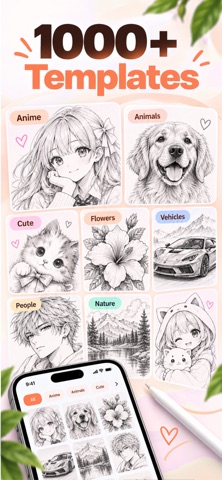
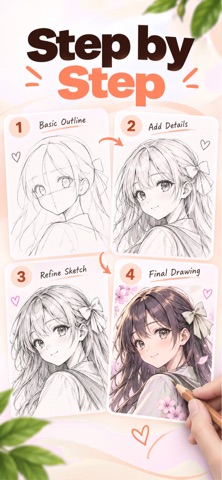
Trace pictures on paper using your iPhone camera. AR Drawing Sketch projects a template or photo onto your screen so you can follow every line on real paper — the easiest way to learn to draw, practice sketches, and turn photos into art. HOW TO DRAW WITH AR • Choose a template or import a photo • Point your camera at the paper • Adjust size, position, and opacity • Trace what you see step by step FEATURES • Large library of drawing templates — animals, nature, food, characters, and more • Trace your own photos with a live camera overlay • Photo to Sketch convert pictures into clean line art you can follow • Beginner-friendly tools: opacity, zoom/resize, position, and grid • Favorites and recent drawings so you can jump back in • Save sketches in My Art and share your results LEARN TO DRAW ANYTHING Whether you’re starting from zero or leveling up your sketching skills, AR tracing helps you build confidence fast. Follow simple outlines first, then move to more detailed drawings as you improve. Perfect for: • Learning how to draw • Anime, cartoon, and character sketches • Portraits and photo tracing • Fun practice for kids, teens, and adults Privacy Policy: https://ar-drawing-19a7b.web.app/privacy Terms of Use (EULA): https://www.apple.com/legal/internet-services/itunes/dev/stdeula/
What's new · 2.4
app improvements.
Details