

Peekmo - 잠금화면 메모
JEONG HYEON CHOI · Productivity
Independent analytics for this App Store listing. AppTracker is not affiliated with JEONG HYEON CHOI.
Chart standing · US
What changed · US
Listing changes AppTracker has observed for this app in this storefront — new versions, price moves, rating shifts, and store copy.
Stability and usability improvements.
In-app purchases · US
What this app sells inside itself, grouped by kind and priced for this storefront.
Screenshots

About
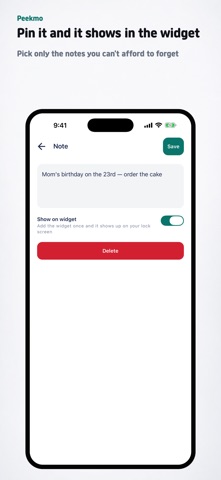
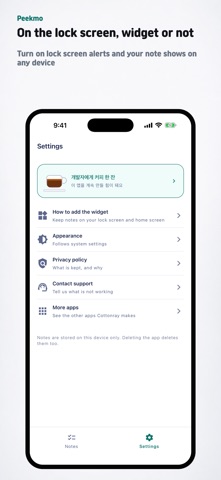
You forget things you wrote down because you never open the note again. Peekmo keeps short notes on your Lock Screen and in a Home Screen widget. Recycling day, a family birthday, taking your medication — the things you know but keep missing, back in front of you every time you pick up your phone. Write it, and it is on the widget One input field sits above the list. New notes are pinned by default, and only pinned notes reach the widget. No folders, no tags, no formatting — this app is the few lines you must not forget. Seeing notes on the Lock Screen · Lock Screen widget — press and hold the Lock Screen, tap "Customize" and then "Lock Screen", and add the Peekmo widget under the clock · Home Screen widget — press and hold an empty spot on the Home Screen and add it there · Pinned notes also stay visible in StandBy and on always-on displays Notes stay on the device No account, no server. Notes never leave the device, and deleting the app deletes them with it. Only the minimum is collected automatically: crash diagnostics (Firebase Crashlytics) and banner ad delivery (Google AdMob, non-personalized). No tracking. Free, with a banner ad Every feature is free. One banner ad sits at the bottom of the home screen. Privacy policy: https://cottonray.com/privacy/peekmo Contact: help@cottonray.com
What's new · 0.1.11
Stability and usability improvements.
Details