

Simple Mosaic
seiya kawano · Photo & Video
Independent analytics for this App Store listing. AppTracker is not affiliated with seiya kawano.
Chart standing · US
What changed · US
Listing changes AppTracker has observed for this app in this storefront — new versions, price moves, rating shifts, and store copy.
Minor improvements and stability fixes.
In-app purchases · US
What this app sells inside itself, grouped by kind and priced for this storefront.
Screenshots




About
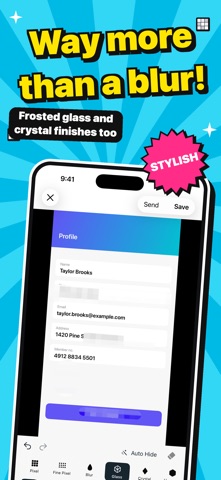
An app for hiding the one part of a photo you did not mean to share. Open it, pick a photo, drag over what should be gone, save. No tutorial, no account, no sign-up. ■ Straight from the Share button Open a photo from the Share button in Photos or on a screenshot and mask it right there — no need to find the app first. ■ Four ways to hide ・Pixel — the familiar square mosaic ・Blur — when it should blend into the photo ・Glass — like looking through frosted glass, not just a soft focus ・Black — when it has to be gone for certain A slider sets how strong it is, and the photo updates as you drag. ■ Five shapes ・Brush — hide whatever your finger covers, at any width ・Rectangle — names, addresses, email, QR codes ・Vertical bar — details stacked down the screen ・Horizontal bar — eyes, or a single line of text ・Circle — faces, without a hard edge Rectangles and circles can be moved, resized or deleted afterwards. ■ Hide every face at once Tap Hide Faces and the app finds the faces in the photo and covers them together. Detection runs entirely on your device. Anything it gets wrong, you can tap and delete. ■ Nothing is final Undo and redo are always there, and the eraser brings back anything you covered too much of. ■ What it costs Every tool is free to use. Saving and sending are free for your first five photos. If you want more, a single purchase removes the limit for good. There is no subscription. ■ Your photos stay on your phone ・Your photos are never sent to a server ・No account ・No uploads ・All editing happens on the device ■ Location data does not travel with it Masking a photo and then sharing the place it was taken defeats the point. Saved photos have their GPS tag and other metadata stripped by default — you can turn that off in Settings. Your original photo is never modified. The masked version is always saved as a new photo. ■ What this app does not do No filters, brightness, cropping, stickers, text, collage or beauty tools. It is not a photo editor. It is a tool for hiding things. For iPhone and iPad, iOS 18 or later.
What's new · 1.2.1
Minor improvements and stability fixes.
Details