

Video Compressor: Resize MB
John Michael Escobar Celi · Photo & Video
Independent analytics for this App Store listing. AppTracker is not affiliated with John Michael Escobar Celi.
Chart standing · US
What changed · US
Listing changes AppTracker has observed for this app in this storefront — new versions, price moves, rating shifts, and store copy.
This update improves compression and makes the app easier to use: • Clearer screens for choosing videos, setting resolution and MB limits, saving and sharing. Better layouts for small screens, larger text and the keyboard. • More robust compression, with improvements to progress, cancellation, simultaneous jobs and HDR-to-SDR conversion. Cancelling a batch keeps videos already exported. • Better imports from Photos and Files: names and dates are preserved when available, and valid videos are kept if another import fails. Videos saved to Photos use the final filename. • Improvements to the share extension and Shortcuts, including preservation of video filenames. • More reliable destination folders, with folder selection, access retries and saving without overwriting existing files. • Better protection of history when errors occur, record recovery and validation of saved presets. • Clearer Premium plans and prices, corrected annual savings, and improvements to lifetime purchases, restoration and access validity. • Improved contrast, navigation, error messages and translations. Updated privacy manifests and temporary-file handling.
Screenshots
About
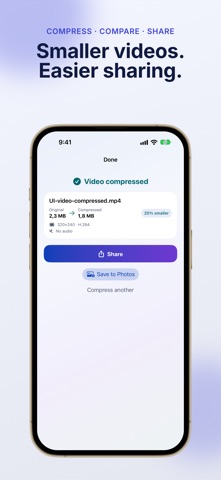
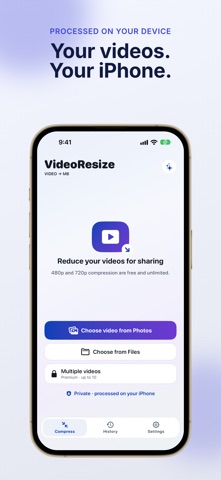
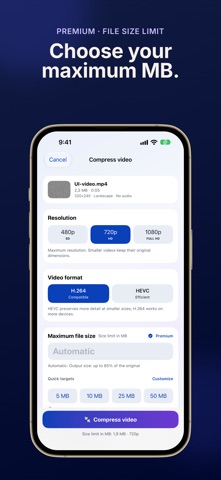
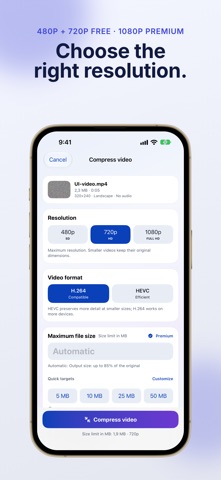
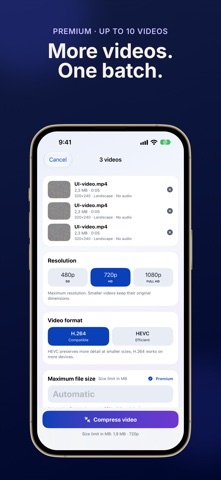
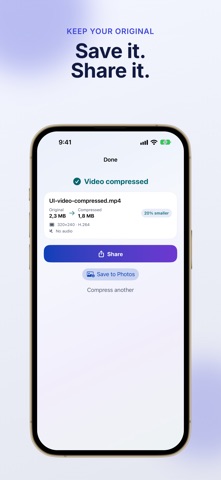
Make videos smaller for sharing, email and uploads. VideoResize compresses videos on your iPhone and keeps the original. HOW IT WORKS 1. Choose a video from Photos or Files. 2. Select the resolution and compression settings. 3. Compare the original and exported file sizes, then save or share the result. FREE Compress one video at a time at 480p or 720p, with no ads or watermark. PREMIUM Unlock 1080p, a maximum file size in MB and batches of up to 10 videos. HEVC encoding, favorite settings and automatic saving are also Premium features. PROCESSED ON YOUR IPHONE Compression runs locally, without uploading your video to a server. No account is required. The original remains available. The final size and image quality depend on the source video and your settings. A maximum-MB target is a limit, not a promise that every file will have exactly that size. Reducing file size can reduce quality. Terms of Use: https://www.apple.com/legal/internet-services/itunes/dev/stdeula/
What's new · 1.0.7
This update improves compression and makes the app easier to use: • Clearer screens for choosing videos, setting resolution and MB limits, saving and sharing. Better layouts for small screens, larger text and the keyboard. • More robust compression, with improvements to progress, cancellation, simultaneous jobs and HDR-to-SDR conversion. Cancelling a batch keeps videos already exported. • Better imports from Photos and Files: names and dates are preserved when available, and valid videos are kept if another import fails. Videos saved to Photos use the final filename. • Improvements to the share extension and Shortcuts, including preservation of video filenames. • More reliable destination folders, with folder selection, access retries and saving without overwriting existing files. • Better protection of history when errors occur, record recovery and validation of saved presets. • Clearer Premium plans and prices, corrected annual savings, and improvements to lifetime purchases, restoration and access validity. • Improved contrast, navigation, error messages and translations. Updated privacy manifests and temporary-file handling.
Details