

netclash-NetworkRescue
友健 高 · Utilities
Independent analytics for this App Store listing. AppTracker is not affiliated with 友健 高.
Chart standing · US
What changed · US
Listing changes AppTracker has observed for this app in this storefront — new versions, price moves, rating shifts, and store copy.
Added Home Network Inspector, Reliability Monitor, and ISP Evidence Reports to help pinpoint lag and spot devices. One-tap speed tests and Connection Rescue show download, upload, latency, and jitter with clear next steps. Dark mode is available, and the Start Speed Test button stays pinned at the bottom for easier tapping on iPhone.
Price & rating history · US
Reconstructed from the listing changes AppTracker has observed in this storefront. A field is charted once it has changed more than once, and each line starts at the value it moved from.
Average rating · ★ 4.89 now · 7 changes on record
In-app purchases · US
What this app sells inside itself, grouped by kind and priced for this storefront.
Screenshots


About
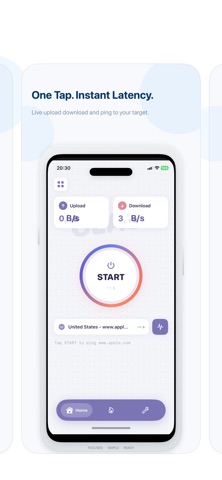
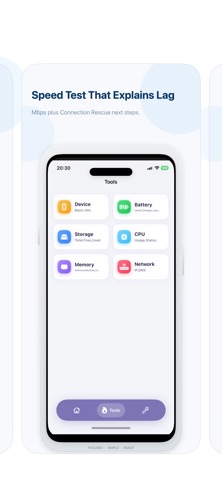
NetClash helps you understand your connection without turning network troubleshooting into a technical project. It is a speed test and network diagnostics utility. Run a speed test to see download upload latency jitter and packet loss. When video calls freeze games feel delayed or streaming keeps buffering start Connection Rescue for a short guided check across DNS public reachability stability and download throughput. You get a clear summary and practical next steps to try. When the problem comes and goes start Reliability Monitor. It tracks latency jitter packet loss DNS response outages and WiFi or cellular changes across an active session. The clear timeline helps you see exactly when your connection became unstable. Create an ISP Evidence Report with connection grades key measurements recorded events and session details. Share it as an image or PDF when you need to explain an intermittent problem to your internet provider. See what is connected with Home Network Inspector. Scan your current local WiFi network using targeted TCP checks Bonjour and UPnP discovery. Identify device types and available services search and filter results name your devices mark trusted equipment and spot devices that are new offline or back online. Create a shareable home network security summary when you need a second opinion. Advanced users can inspect IPv4 and discovered IPv6 details scan a custom IPv4 range open a device directly in Port Check and send a local Wake-on-LAN packet to a computer after entering its MAC address. NetClash also includes Ping traceroute DNS lookup public IP details port checks bufferbloat testing and connection monitoring. Test history helps you compare results across places and times. Privacy-first by design. NetClash does not require an account and does not use advertising tracking or third-party analytics SDKs. Test history and settings stay on your device. Network requests are made only when you start a speed test lookup or diagnostic. NetClash Pro is an optional one-time non-consumable purchase. It unlocks Home Network Inspector longer reliability sessions ISP Evidence Reports unlimited speed tests result sharing and advanced tools. It is not a subscription and does not auto-renew.
What's new · 1.4
Added Home Network Inspector, Reliability Monitor, and ISP Evidence Reports to help pinpoint lag and spot devices. One-tap speed tests and Connection Rescue show download, upload, latency, and jitter with clear next steps. Dark mode is available, and the Start Speed Test button stays pinned at the bottom for easier tapping on iPhone.
Details