
Chart standing · US
What changed · US
Listing changes AppTracker has observed for this app in this storefront — new versions, price moves, rating shifts, and store copy.
Screenshots




About
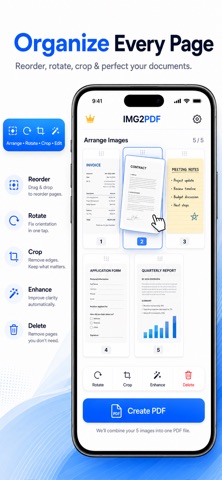
Image to PDF is simply a photo to pdf converter app that turns your images, photos, and pictures into professional PDF and Word documents quickly and easily. Convert images to PDF, combine multiple photos into one document, reorder pages, customize your layout, and export exactly the files you need. Whether you're organizing receipts, notes, assignments, forms, work documents, or personal records, you have the tools to create documents in just a few steps. IMAGE TO PDF to create PDF files from images with ease. • Convert JPG to PDF • Convert PNG to PDF • Convert HEIC to PDF • Merge images into PDF • Select multiple images and arrange them in the exact order you want before creating your document. • Save images, photos, and pictures as PDF FLEXIBLE PDF EXPORT, you choose the export option that works for you: • All images → PDF • Selected images → PDF • Each image → Separate PDF • All images → Word • Selected images → Word • Each image → Separate Word document Create one complete document or export individual pages separately. PDF MAKER AND PDF TOOL to customize your document before exporting with flexible PDF settings. Adjust: • Page size • Page layout • Margins • Image fitting • Compression quality • Page organization Your PDF maker gives you control over how your final document looks. IMAGE TO WORD in case you need a Word document instead? Use the image to Word converter to export your images as Microsoft Word-compatible DOCX documents. Convert image to DOCX, export selected pictures, or create a separate Word document for each image. REORDER AND PREVIEW to arrange your photos and pages before creating your PDF. Drag and reorder images to create the exact document sequence you need. Then preview your generated PDF before saving or sharing it. SAVE AND SHARE: Save your finished documents directly to the Files app and choose where they are stored. Share PDFs and Word documents through the standard iOS share sheet with compatible apps, cloud storage, messaging services, email, and other destinations available on your device. DOCUMENT HISTORY Keep your generated PDFs organized in My PDFs. From your document history, you can: • Open saved PDFs • Preview documents • Rename files • Share documents • Delete documents • View creation dates • View page counts • View file sizes SIMPLE WORKFLOW: Creating a document takes just a few steps: Select your images Arrange your pages Configure your PDF Create your document Preview, save, or share No complicated setup is required. LIFETIME PRO Upgrade once to Lifetime Pro and unlock the complete experience. • No Ads • Unlimited Pages • No Watermark • Premium Export Options Lifetime Pro is a one-time purchase. Already purchased it? Use Restore Purchases to restore your eligible purchase on your Apple devices. Create PDFs from your photos and images, convert pictures to documents, organize pages, and export files your way with Image to PDF - Photos to PDF.
Details