
Chart standing · US
Screenshots





About
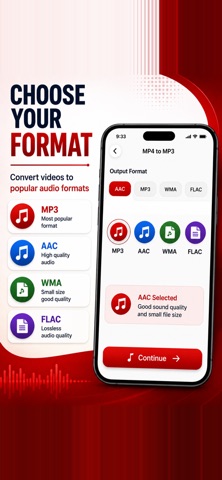
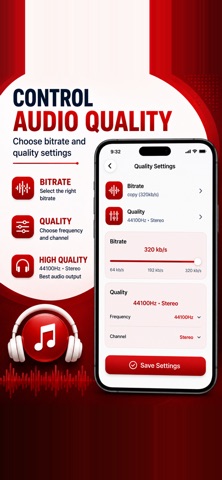
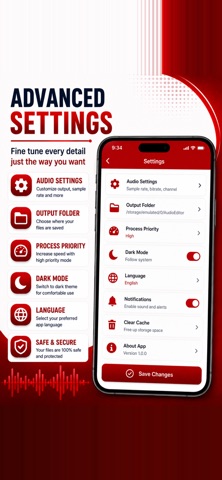
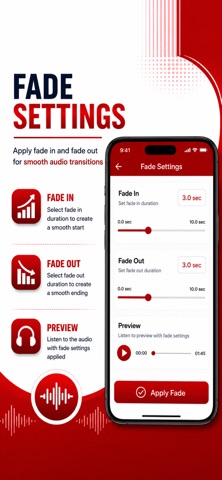
MP4 to MP3 Converter is a focused mp4 to mp3 converter and video to mp3 converter built to convert mp4 to mp3, extract audio from video, and handle full video to audio workflows on your iPhone. If you need a video to audio converter, a video to audio mp3 tool, or a simple mp4 to mp3 offline converter, this app keeps conversion fast, private, and on-device. Use it as a video to audio converter and mp4 to mp3 audio converter when you want to convert video to audio or convert video to mp3 without uploading files. The same flow covers video to audio extract, video to audio maker tasks, and everyday video to audio mp3 needs. Whether you search for mp4 to mp3: video to audio, mp4 to mp3 - audio converter, or mp4 to mp3: converter, the goal is the same: pull clean sound from your clips and save it locally. Convert mp4 to mp3 with clear quality controls. Choose AAC, MP3, WMA, FLAC, WAV, OGG, or AC3 when you need more than a basic mp4 to audio export. This video to mp3: audio converter and video to mp3: convert audio workflow also supports video to aac, mp4 to aac, video to flac, video to wav, and video to wma so you can match the format your player or editor expects. Need a video to mp3 cutter or video to audio cutter? Trim start and end before you extract mp3 from video, cut audio from video, or trim video to mp3. Frame thumbnails help you set the range quickly, then convert only the section you want — ideal for song from video clips, lecture video to mp3 exports, and ringtone from video edits. Pair trim with fade in, fade out, and volume so your video to audio mp3 cutter results sound polished. This video audio extractor also works as an offline mp3 converter and mp4 to mp3 - offline converter. Processing stays on your device, so you can rip audio from video, extract sound from video, and save music from video without sending files to a server. That offline path is useful for travel, classrooms, and private recordings where connectivity or privacy matters. Beyond MP4, convert common video containers with the same controls. Process mov to mp3, mkv to mp3, and avi to mp3, plus mov to audio, mkv to audio, and avi to audio when you need a flexible video converter to audio. Format variants such as mp4 to m4a, mov to aac, mkv to wav, and avi to flac keep longer projects compatible across phones, computers, and editors. After conversion, manage files in one place. Play, share, rename, and organize outputs. Edit ID3-style tags — title, artist, album, track, year, and genre — so your convert mp4 to mp3 library stays searchable. Create a video to mp3: ringtone maker style clip by trimming a short section, boosting volume if needed, and exporting a compact track you can reuse. How to use MP4 to MP3 Converter is simple. Pick a video from Files or Photos, preview the clip, set output format and bitrate, optionally trim and adjust volume or fade, add tags, then start conversion. Your video to audio: convert to mp3 job finishes on-device, and the result appears in Converted Files ready to play or share. Perfect for creators saving a song from video, students turning a lecture video to mp3 for offline study, travelers who want a video to audio converter without uploads, and anyone who needs a reliable video to mp3 converter app for daily clips. From video to audio & mp3 converter style searches to straight mp4 to mp3 converter intent, the app is built for clear, repeatable results. Download MP4 to MP3 Converter to convert mp4 to mp3, convert video to mp3, extract audio from video, and run a private video to audio converter anytime — including mp4 to mp3 offline converter and video to audio extract workflows when you need speed and control on iPhone. Terms of Use: https://www.apple.com/legal/internet-services/itunes/dev/stdeula/ Privacy Policy: https://modern-tools-privacy.netlify.app/?id=f5a8c2d7
Details