

Hushfile: Metadata Cleaner
Karan Kohli · Utilities
Independent analytics for this App Store listing. AppTracker is not affiliated with Karan Kohli.
Chart standing · US
What changed · US
Listing changes AppTracker has observed for this app in this storefront — new versions, price moves, rating shifts, and store copy.
Screenshots


About
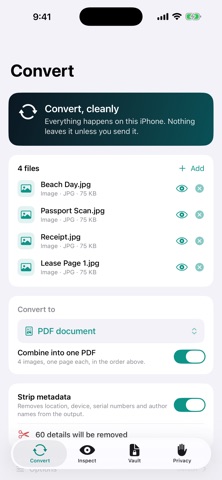
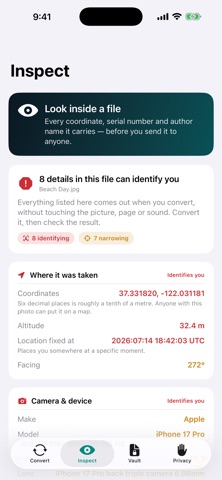
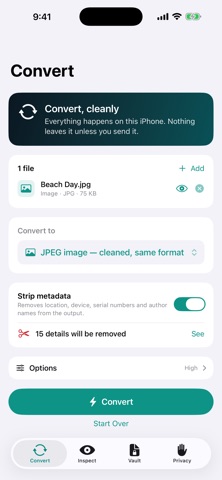
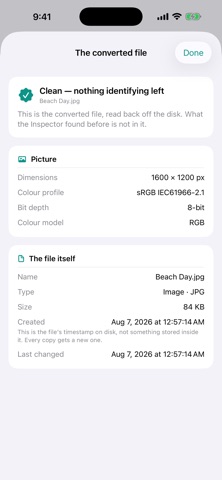
Your photos know where you were standing. Your PDFs know who wrote them, on which computer, and when you last touched them. Most people have never seen any of it. Hushfile shows you — then takes it out, and converts the file while it's at it. LOOK INSIDE YOUR FILES — FREE, UNLIMITED Open a photo and see the exact coordinates written into it, down to a tenth of a metre. See your camera's serial number. See the name your camera has been quietly stamping on every shot. Open a PDF and see the author, the software that made it, and the date you thought was gone. Everything is ranked by how much it gives away: what identifies you, what narrows you down, and what's harmless. The Inspector is free and unlimited, whether or not you ever pay for anything. THEN CHECK OUR WORK After converting, tap "Check the Result Yourself". Hushfile reads the finished file back off the disk and inspects that — not a copy in memory. Anything the Inspector showed you should be gone. Look and see. CONVERT WITHOUT UPLOADING ANYTHING • Photos — HEIC, JPEG, PNG, TIFF, GIF, BMP, PDF. Clean a HEIC and get a HEIC back, not a downgraded JPEG. • PDFs — merge, split into pages, pull out a page range, render pages to images, extract text • Video — MP4, MOV, extract the audio, or turn a clip into an animated GIF • Audio — M4A, WAV, AIFF, CAF • Documents — Markdown, HTML, RTF and plain text to PDF, with real Markdown formatting • Spreadsheets — CSV, TSV, JSON and Markdown tables, in any direction • Resize and re-compress on the way out, with a size estimate before you commit • Convert a whole batch at once, or fold a stack of photos into a single PDF NO SERVER OF OURS Most file converters upload your files to a server. One of the most popular ones declares "User Content" collection on its own App Store privacy label. Hushfile contains no URLSession, no analytics SDK, no crash reporter, no update check, and no server we control. Turn on Airplane Mode and use the whole app. Converting, inspecting, stripping, the Vault, Shred and App Lock all keep working. The only thing that needs a connection is buying or restoring the unlock, because that goes through the App Store. BUILT SO THE FILES STAY PUT • Converted files live in Hushfile's private storage — not the Files app, not a Finder file transfer • iOS file protection keeps them unreadable while your iPhone is locked • Kept out of your iCloud backup by default • Auto-Clear deletes them on your schedule; Shred deletes one on demand • Face ID or passcode App Lock • No account, no sign-up, no email. Hushfile never asks for your Photos, camera, location, contacts or microphone TRACKING PIXELS, TOO Convert an HTML file and Hushfile strips the remote images, scripts and stylesheets before it reads the page — the ones that would have told a stranger the moment you opened it — and tells you how many it found. WHAT IT COSTS Free to download. The Metadata Inspector is free and unlimited, forever. Your first file conversion is free. After that, a single one-time in-app purchase unlocks unlimited conversions. It is not a subscription — there is nothing to cancel, and it restores on every iPhone signed into your Apple Account. WHAT WE DON'T CLAIM There's a screen in the app called "What we can't promise", and it stays there. Hushfile removes the metadata it can read — some formats carry vendor blocks no tool fully decodes, so the promise is the narrower, checkable one: anything the Inspector shows you comes out. We don't do DOCX, XLSX or PPTX. We don't do OCR. Shred deletes a file and lets iOS discard its encryption key, which is the strongest deletion an app is allowed to perform; we don't overwrite flash memory, because no app can. Hushfile — Ai2Life Technologies
Details