

BMP Converter: Image to PDF
RUEBEN ANSOLIWEN AKANKOBATENG · Utilities
Independent analytics for this App Store listing. AppTracker is not affiliated with RUEBEN ANSOLIWEN AKANKOBATENG.
Chart standing · US
What changed · US
Listing changes AppTracker has observed for this app in this storefront — new versions, price moves, rating shifts, and store copy.
Version 1.0.2 is focused on launch polish and easier converting. - Added localized app text for Spanish, French, German, Portuguese, Japanese and Simplified Chinese - Improved Photos and Files picking so imports feel smoother - Kept conversion fully offline, with verified output files before success - Refined App Store screenshots, metadata and review notes for this release Thanks for using BMP Converter. If a file does not convert the way you expect, email us from Settings and we will help.
Screenshots



About
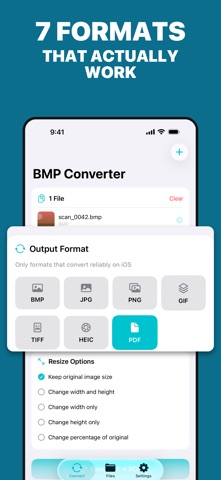
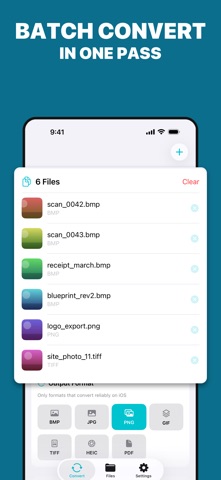
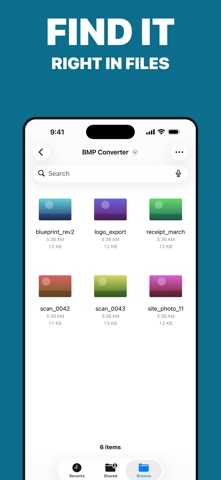
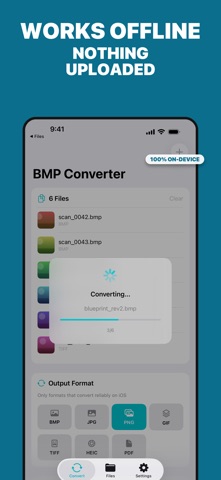
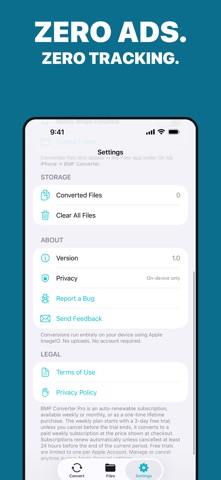
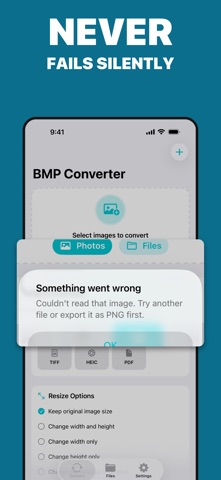
Convert BMP files that nothing else on your iPhone will open - and turn any photo into BMP, PDF, JPG, PNG, HEIC, TIFF or GIF. Everything runs on your device. Nothing is uploaded, and nothing is ever silently lost. Most converters fail quietly. You tap Convert, the app says it worked, and the folder is empty. BMP Converter checks every file it writes and only reports success when a real, openable image is on disk. If something cannot be converted, it tells you why. WHAT IT CONVERTS - BMP to PDF, JPG, PNG, HEIC, TIFF and GIF - JPG, PNG, HEIC, TIFF, GIF, WebP and PDF back to BMP - Any supported format to any other - 7 output formats, all verified on iOS PICK FILES THE WAY YOU ACTUALLY STORE THEM - Straight from your Photos library - no copying into Files first - From Files, iCloud Drive, or any cloud provider - Open a BMP from Mail or Messages with Open In - Drag and drop several at once BUILT SO IT DOES NOT LET YOU DOWN - Every output is checked for a valid, non-empty image before we call it done - Transparency is flattened correctly for BMP and JPG instead of producing a black or broken file - Clear errors that name the problem, never a silent failure CUSTOM OUTPUT - Keep the original size, or set an exact width, height, or percentage - Standard, high, or maximum export quality - Convert a whole batch in one pass PRIVATE BY DESIGN - 100% on-device. No uploads, no servers, no account, no email - No ads and no tracking - Converted files land in a BMP Converter folder you can open in the Files app BMP Converter is free to convert. A Pro subscription unlocks unlimited exports, batch conversion, custom resizing and maximum quality. You get free exports to try it first, and pricing is shown before you subscribe. Questions or a file that will not convert? Email us - a real person answers. Terms of Use: https://www.apple.com/legal/internet-services/itunes/dev/stdeula/ Privacy Policy: https://docs.google.com/document/d/1Y4Mhhyeza2RJlpv2dAGQ2yM7A4Lisr6Y8B_jnYcvg-c/edit?usp=sharing
What's new · 1.0.2
Version 1.0.2 is focused on launch polish and easier converting. - Added localized app text for Spanish, French, German, Portuguese, Japanese and Simplified Chinese - Improved Photos and Files picking so imports feel smoother - Kept conversion fully offline, with verified output files before success - Refined App Store screenshots, metadata and review notes for this release Thanks for using BMP Converter. If a file does not convert the way you expect, email us from Settings and we will help.
Details