

Truck GPS Routes - Truck Maps
ACCOUNTING PLATFORM HUMAN RESOURCES JOINT STOCK COMPANY · Navigation
Independent analytics for this App Store listing. AppTracker is not affiliated with ACCOUNTING PLATFORM HUMAN RESOURCES JOINT STOCK COMPANY.
Chart standing · US
In-app purchases · US
No in-app purchases.
Screenshots




About
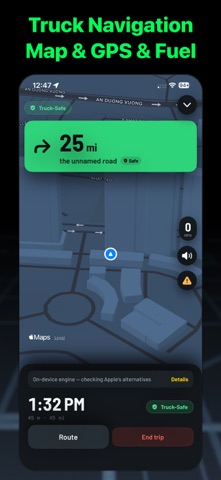
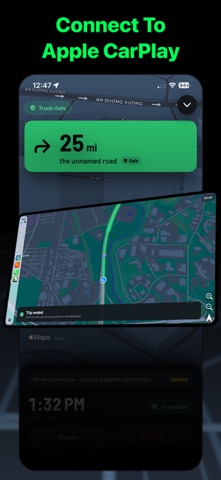
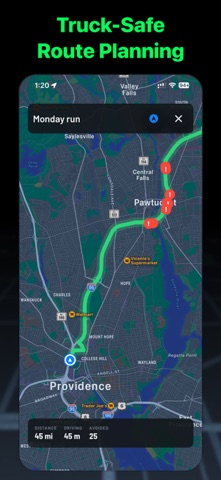
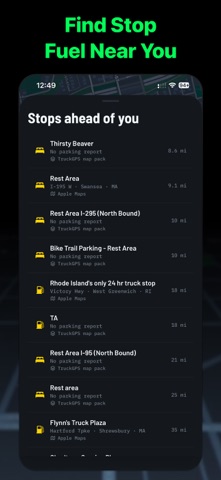
Every other truck GPS asks you to trust a black box. TruckGPS tells you which bridge it routed you around, what the clearance is, and where that number came from. Routing runs on your iPhone — not on a server you cannot see. Your route is computed against your truck's real height, width, length, weight, axle count and hazmat class, cross-checked against official U.S. government bridge data (FHWA National Bridge Inventory). No signal, no problem: the routing engine never needed one. Your route respects your exact vehicle profile. Map regions live on the phone, so a dead zone changes nothing. It will never quietly downgrade you to a car route. A badge tells you whether you are on a Verified Truck-Safe Route (the on-device engine) or an Enhanced Route (Apple's live traffic, re-checked against your truck's restrictions before you ever see it). If it cannot verify a region, it stops and says so rather than guessing. No account. No ad trackers. No analytics. Nothing to sell, because nothing is collected. Your position never leaves the phone. Check the privacy label — it says "Data Not Collected", not "trust us". Distance recorded per jurisdiction while you drive, totalled per quarter, with a fuel log and a CSV you can hand your accountant. Distances and fuel only — no tax is calculated, and the file says so. CarPlay navigation and Dashboard. Live Activity on the Lock Screen and Dynamic Island. Home Screen widgets. Apple Watch turn alerts and complications. A long-haul power mode that draws the map at half rate for an all-day shift. WHAT IS INSIDE • Truck-legal turn-by-turn (height, width, length, weight, axles, hazmat) • Offline routing — no connection needed • Low-clearance warnings from official U.S. bridge data • "Why this route" with the source of every clearance • Multi-stop planning, with address suggestions as you type • Truck stops and rest areas, with parking capacity reported by drivers • Report a wrong clearance — corrections need corroboration before they count • IFTA quarterly report per jurisdiction, fuel log, CSV export • Per-load revenue, cost and margin • FMCSA and EU 561/2006 driving-time advice (not a certified ELD or tachograph) • EU per-country weight and dimension warnings before the border • Multiple trucks, synced through your own iCloud • CarPlay, Apple Watch, Live Activity, Dynamic Island, widgets • Metric or imperial · dark mode built for night driving Advisory disclaimer: driving-time features are advisory only and are not a certified ELD or tachograph. You remain responsible for compliance with FMCSA or EU 561/2006, and with all posted signage. For more information, please see our Privacy Policy and Terms of Use. • Terms of use: https://deeplyai.app/terms.html • Privacy policy: https://deeplyai.app/privacy.html Support & Contact Need help? • Rate us! Got feedback? info@deeplyai.app
Details