

ChordChange
DAVID AMILCAR ALAYSOTO · Music
Independent analytics for this App Store listing. AppTracker is not affiliated with DAVID AMILCAR ALAYSOTO.
Chart standing · US
What changed · US
Listing changes AppTracker has observed for this app in this storefront — new versions, price moves, rating shifts, and store copy.
1.0.18 Customizable editor toolbar — Pin your most-used tools (Fix Chart, Repeat, Convert, AI Format, etc.) to the song editor action bar for one-tap access. Tap ··· → Quick Access to choose what stays visible. Repeat bracket tool — Select lines in the editor, tap Repeat, and pick a count (2–8). The selection is wrapped in a {group} repeat bracket that renders as a native curly-brace span in the chart with the repeat number. Convert Part — choose where to save — After converting a brass/wind chart to a different key, you now choose: new instrument version, new song, or replace in place. No more silent overwrites. Chart remembers your instrument version — Songs with multiple parts (Piano, Bb, Eb…) reopen in whichever instrument version you used last, stored per song per user. Bug fixes: • Harmony (3rd/5th) buttons now appear next to their instrument part buttons, before score versions • Fix Chart now correctly processes standalone notes (e.g. "B") next to lyrics without landing on the same letter inside a chord name like [Bm] • Playlist songs are now openable (were stuck in permanent edit mode)
Ratings breakdown · US
The star breakdown behind this app's rating in this storefront.
Screenshots


About
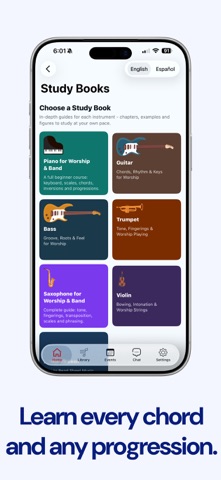
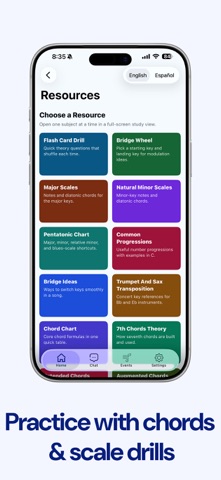
ChordChange is the chord chart app for musicians, worship teams, and bands. Write or import chord charts, transpose to any key instantly, build set lists for your events, and keep your whole band on the same page. FREE - On-device song library: create, edit, transpose, print, and share - Instant transposition to any key, with capo support - Built-in chromatic tuner - Personal iCloud sync across your devices PRO - Everything free, plus create or join a private band - Shared chart library, group and direct chat, and announcements - Invite up to 7 free members to your Pro band — no subscription needed for them - Band Pro removes the limit and covers your entire band Great for guitarists, pianists, singers, worship and church music teams, music directors, and teachers who are done with paper charts and scattered files. Subscriptions: - Pro: $4.99/month or $39.99/year - Band Pro: $12.99/month or $99.99/year 14-day free trial. Auto-renewing; manage or cancel anytime in your App Store account settings. Terms of Use (EULA): https://chordchange.app/terms.html Privacy Policy: https://chordchange.app/privacy.html
What's new · 1.0.18
1.0.18 Customizable editor toolbar — Pin your most-used tools (Fix Chart, Repeat, Convert, AI Format, etc.) to the song editor action bar for one-tap access. Tap ··· → Quick Access to choose what stays visible. Repeat bracket tool — Select lines in the editor, tap Repeat, and pick a count (2–8). The selection is wrapped in a {group} repeat bracket that renders as a native curly-brace span in the chart with the repeat number. Convert Part — choose where to save — After converting a brass/wind chart to a different key, you now choose: new instrument version, new song, or replace in place. No more silent overwrites. Chart remembers your instrument version — Songs with multiple parts (Piano, Bb, Eb…) reopen in whichever instrument version you used last, stored per song per user. Bug fixes: • Harmony (3rd/5th) buttons now appear next to their instrument part buttons, before score versions • Fix Chart now correctly processes standalone notes (e.g. "B") next to lyrics without landing on the same letter inside a chord name like [Bm] • Playlist songs are now openable (were stuck in permanent edit mode)
Details