

PDF Converter -- Image to PDF
Venish Rakholia · Productivity
Independent analytics for this App Store listing. AppTracker is not affiliated with Venish Rakholia.
Chart standing · US
What changed · US
Listing changes AppTracker has observed for this app in this storefront — new versions, price moves, rating shifts, and store copy.
-Update Metadata -Bug Fixes
In-app purchases · US
What this app sells inside itself, grouped by kind and priced for this storefront.
Screenshots



About
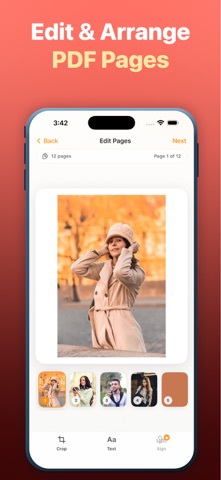
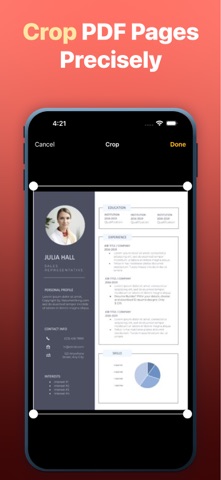
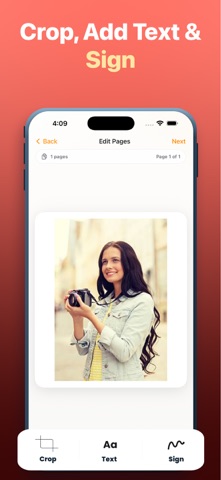
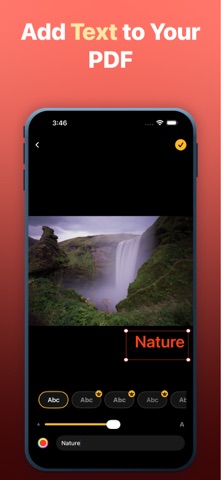
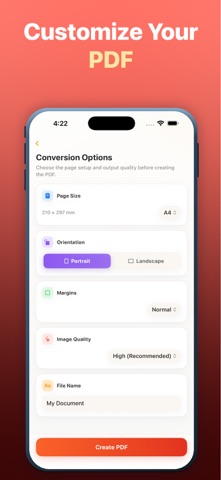
Only the opening changed, to lead with "converter" now that it's your title anchor. Full text so you can paste in one go: Every PDF tool you actually need, in one fast converter. Turn photos into clean documents, scan paper with your camera, shrink oversized files, and pull pages back out as images — all on your iPhone, with no account and no uploads. IMAGE TO PDF • Convert any photo or screenshot into a PDF in seconds Only the opening changed, to lead with "converter" now that it's your title anchor. Full text so you can paste in one go: Every PDF tool you actually need, in one fast converter. Turn photos into clean documents, scan paper with your camera, shrink oversized files, and pull pages back out as images — all on your iPhone, with no account and no uploads. IMAGE TO PDF • Convert any photo or screenshot into a PDF in seconds • Combine as many images as you like into one document • Drag pages to reorder them before you convert • Choose A4, US Letter or Legal, portrait or landscape • Set margins and output quality to match how you'll use it DOCUMENT SCANNER • Point your camera at paper — edges are detected automatically • Auto-capture with perspective correction, so pages come out square • Scan several pages in a row into a single PDF • Ideal for receipts, contracts, forms, notes and ID documents COMPRESS PDF • Shrink large PDFs so they fit email and upload limits • Three levels: Best Quality, Balanced, or Smallest File • See exactly how much you saved before and after • Never returns a bigger file than you started with PDF TO IMAGE • Export every page as a separate PNG or JPEG • Pick your resolution — up to 3x for print-quality output • Save the whole set straight to Photos, or share single pages POLISH BEFORE YOU CONVERT • Crop any page to trim away backgrounds and edges • Add text in a range of styles, sized and placed exactly where you want • Sign with your finger and drag your signature into position WHY PDF CONVERTER • Everything runs on your device — your files are never uploaded • No sign-up, no account, no email required • Works offline, wherever you are • Every PDF you create is saved to Recent, ready to rename or reshare • Share anywhere, or export to Files and iCloud Drive • Clean, fast and built for iPhone Whether you're sending a signed contract, emailing a receipt to accounting, turning a whiteboard photo into a shareable document, or squeezing a 50-page report under an attachment limit — this handles it in a few taps. Download PDF Converter and turn anything into a PDF. PREMIUM Unlock signatures, the full set of text styles, and an ad-free experience. Payment is charged to your Apple Account at confirmation of purchase. Your subscription renews automatically unless it is cancelled at least Whether you're sending a signed contract, emailing a receipt to accounting, turning a whiteboard photo into a shareable document, or squeezing a 50-page report under an attachment limit — this handles it in a few taps. Download PDF Converter and turn anything into a PDF. Privacy Policy: https://pdfmaker-privacypolicy.blogspot.com/p/privacy-policy.html Terms of Use (EULA): https://sites.google.com/view/terms-of-use-00/home
What's new · 1.1
-Update Metadata -Bug Fixes
Details