

Sequence Timer and Counter
Philip Braham · Lifestyle
Independent analytics for this App Store listing. AppTracker is not affiliated with Philip Braham.
Chart standing · US
What changed · US
Listing changes AppTracker has observed for this app in this storefront — new versions, price moves, rating shifts, and store copy.
Fixed wording in beat setup to make it clearer. Added tenths of seconds to full version
Screenshots




About
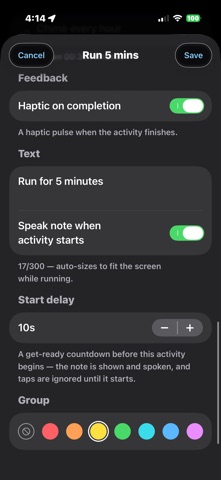
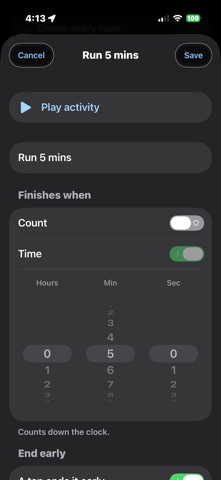
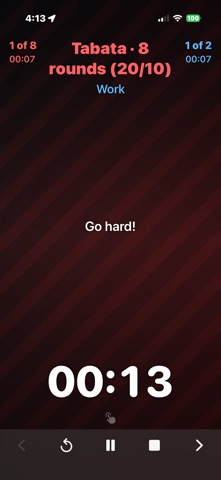
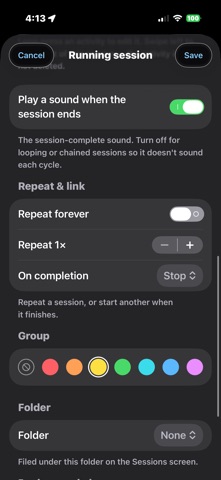
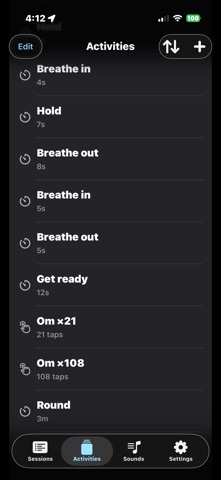
Bread dough, then proving, then the oven. Sequence Timer runs a chain of steps one into the next, so you set it up once and then just listen. Most timer apps give you one countdown. This one lets you build a sequence — five minutes here, twenty there, ten reps, two minutes more — where each step sounds when it ends and rolls straight into the one after it. Nothing to tap between steps. Nothing to remember. A step can finish on a time, on a count, or on whichever arrives first. And you decide what counts it down: a tap, a steady beat, or — the part people don't expect — a clap or a shout, so your hands never have to touch the phone. WHAT PEOPLE USE IT FOR Cooking — prove, knead, rest, bake, without setting four separate timers Meditation — a bell every minute through a sit, or a count of 108 by voice Study — focus and break, repeating, hands off the phone Physio and stretching — hold, swap sides, hold, rest Through the day — an hourly chime, a stand-up nudge, the 20-20-20 eye break Training — rounds and rests, called out loud, counted by your own shout FREE, AND NOT CRIPPLED Unlimited activities and sessions — no caps of any kind Chain as many steps into a session as you like Finish on a time, a count, or whichever comes first Count down by tapping; let a tap end a timer early if you want it to A big, plain countdown you can read from across the room A library of built-in sounds for every step and for the end of a session An early warning before a step runs out A chime as the count goes down Keeps running with the screen locked Notes on any step Ready-made sessions to run as they are or copy and change Export your whole library whenever you like No ads. No account. No tracking. No subscription. THE FULL VERSION — ONE PAYMENT, ONCE Everything above stays free forever. A single purchase adds: Counting by sound — a clap or a shout drops the count, so your hands can stay on the bar, the mat or the mixing bowl Speech — step names, your own notes and your alerts read out loud A steady beat that paces you through a set Tenths of seconds Your own sounds, imported from your files Full control of the chime: which sound, and how often — a bell every minute, or every 27 beads of a mala Folders and colour groups, for when the library grows Repeat a session, or link one straight into the next A photo behind the running countdown Import a library file Freedom to reshape the built-in samples, not just their values It is a one-time purchase, not a subscription. It restores free on every device signed in to your Apple Account, and it can be shared with your family. There is no renewal, no expiry and nothing to cancel.
What's new · 2.1
Fixed wording in beat setup to make it clearer. Added tenths of seconds to full version
Details