

Finished: Track Your Wins
farzin tavakoli · Productivity
Independent analytics for this App Store listing. AppTracker is not affiliated with farzin tavakoli.
Chart standing · US
What changed · US
Listing changes AppTracker has observed for this app in this storefront — new versions, price moves, rating shifts, and store copy.
Everything you finish is now on all of your devices, and there's a lot more you can do without opening the app. • iCloud sync — your wins and your categories on the phone, the iPad and the widget, with no account to make and no switch to find • Widgets — Home Screen and Lock Screen, with a + that logs straight from the sheet • Control Centre, the Action Button and Siri — "Log something finished" saves one without opening the app • Your kinds of work — rename them, recolour them, add your own, delete the ones you don't use • Search the timeline by text, kind of work and date, notes included • Review a month, a quarter or a year, not just a week, with charts for how the work landed • Export a PDF, a CSV, a share card or plain text • "Your year, finished" — the whole year in one card, in December • Edit a win, and log it onto the day you actually finished it
Price & rating history · US
Reconstructed from the listing changes AppTracker has observed in this storefront. A field is charted once it has changed more than once, and each line starts at the value it moved from.
Price · 4.99 USD now · 5 changes on record
Average rating · ★ 5.00 now · 2 changes on record
In-app purchases · US
No in-app purchases.
Screenshots




About
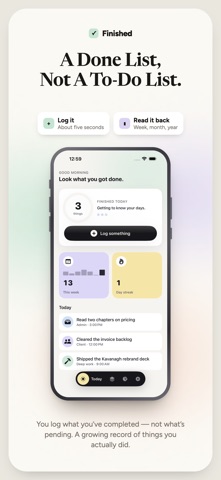
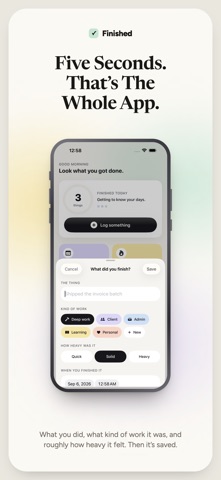
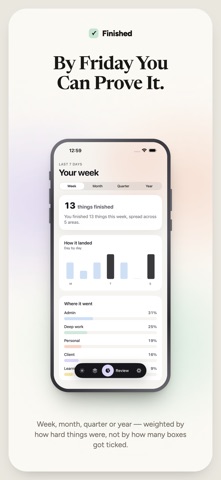
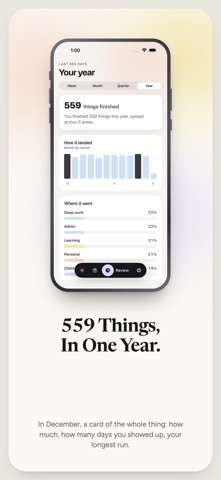
A done list, not a to-do list. Log what you finished, see your week add up, and send a client the PDF. You got a lot done today. So why does it feel like you didn't? Because a to-do list only ever shows you what's left. You can finish eleven things and still end the day staring at the four you didn't get to. The list never says well done. It just gets longer. Finished works the other way round. You log what you've completed — not what's pending. There is no pending in here. No overdue. No red badges counting your failures. Just a growing record of things you actually did. By the end of the day, you can see it. By the end of the year, you can prove it. WHO THIS IS FOR • Freelancers who finish a dozen things a day and can't remember one of them by Friday • Anyone who feels unproductive despite working constantly • People with a standup, a client update, or a performance review to fill in • Anyone who has ever been asked "so what have you been working on?" and gone blank HOW IT WORKS Finish something. Log it. That's the entire app. Each entry takes about five seconds: what you did, what kind of work it was, and roughly how heavy it felt. Categories are colour-coded, and they're yours — rename them, recolour them, or add your own, so your week reads in the words you actually use. WITHOUT EVEN OPENING THE APP A Home Screen widget, a Lock Screen widget, a Control Centre button, the Action Button — or just tell Siri "Log something finished" and it's saved. WHAT YOU GET Today — an honest count of what you finished, and everything behind it. No targets to miss. Timeline — every day, in order. Search the title and the note, and narrow by kind of work and by date, for the evening before you invoice: "what did I do for Acme in March?" Review — the last week, month, quarter or year, with a plain-English summary of where the effort really went. Weighted by how hard things were, not just how many boxes got ticked, with charts for how the work actually landed. Your year, finished — in December, a card of the whole thing: how much, how many days you showed up, your longest run, and your best month. Export — four ways a period leaves the app. A PDF report for a client, a CSV for invoicing, a square card to post, or plain text for a standup. Streaks — for the days you showed up, not the days you cleared a list. Reminders — one gentle nudge in the evening to log what you got done. Optional, capped at one a day, and never at night. BUILT TO BE KIND No nagging. No guilt. No productivity score judging you. Finished never shows you a number you failed to hit, because the whole point is that you already did the work. Reminders are asked for only after you've logged something, never on first launch, and the app works exactly the same if you say no. YOURS, ON EVERY DEVICE Your wins sync through your own private iCloud, with no account to make and no switch to find — the phone, the iPad and the Home Screen widget all show the same history. There's no server of ours holding your entries, we can't read what you log, and signed out of iCloud the app works exactly as it did. ONE PRICE, EVERYTHING INCLUDED Buy Finished once and it's yours. No subscription, no in-app purchases, no locked features, and nothing to upgrade to later. That means, from the moment you open it: • Unlimited history — every day you've ever logged, kept for good • Week, month, quarter and year reviews, with all three charts • PDF, CSV, share card and plain-text export • Timeline search by text, kind of work and date • Widgets, Control Centre, the Action Button and Siri • Syncs across your devices through your own iCloud No ads. No account. No upsell waiting behind a feature you wanted. Stop measuring your day by what's left. Start seeing what you finished. Privacy Policy: https://finished.devera.app/privacy Terms of Use: https://www.apple.com/legal/internet-services/itunes/dev/stdeula/
What's new · 1.3
Everything you finish is now on all of your devices, and there's a lot more you can do without opening the app. • iCloud sync — your wins and your categories on the phone, the iPad and the widget, with no account to make and no switch to find • Widgets — Home Screen and Lock Screen, with a + that logs straight from the sheet • Control Centre, the Action Button and Siri — "Log something finished" saves one without opening the app • Your kinds of work — rename them, recolour them, add your own, delete the ones you don't use • Search the timeline by text, kind of work and date, notes included • Review a month, a quarter or a year, not just a week, with charts for how the work landed • Export a PDF, a CSV, a share card or plain text • "Your year, finished" — the whole year in one card, in December • Edit a win, and log it onto the day you actually finished it
Details