

Photo Collage: Grid & Layout
EMRE KOTUN · Photo & Video
Independent analytics for this App Store listing. AppTracker is not affiliated with EMRE KOTUN.
Chart standing · US
What changed · US
Listing changes AppTracker has observed for this app in this storefront — new versions, price moves, rating shifts, and store copy.
• New Premium plans: Monthly, Yearly with a 7-day free trial, and a one-time Lifetime unlock • Now in 11 languages • Smoother purchase and restore • Stability fixes
Screenshots


About
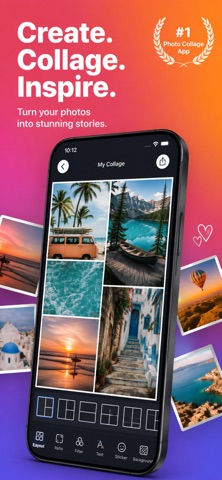
Turn your camera roll into scroll-stopping posts. Make a photo collage or a seamless swipe carousel in seconds: pick a layout, drop in photos, export. No account, nothing uploaded. WHY PEOPLE USE PHOTO COLLAGE • A collage maker and photo grid editor built for the feed: posts, stories, and swipe carousels • Seamless panorama carousels: let one photo span across slides so the swipe flows edge to edge • Private by design: everything happens on your device, with no account and no upload FORMATS FOR EVERY POST • Portrait 4:5, Square 1:1, and Story 9:16 canvases • Carousels of up to 10 slides in a single project • Exported slides stay together in your photo library, in order LAYOUTS AND TEMPLATES • A photo grid catalog, from simple duos to dense mosaics; swap the layout at any time • Ready-made templates: Minimal Duo, Clean Grid, Editorial Cover, Story Feature, Carousel Flow, Sunset Mood • Pinch, drag, and rotate any photo inside its cell EDIT WITHOUT LEAVING THE APP • Adjustments: exposure, contrast, saturation, warmth, and more • Photographic filters for a consistent look • One-tap subject lift: cut a subject out of its background and place it anywhere • Text with font, color, and alignment controls • Stickers and shapes • Borders, corner rounding, and background colors • Full undo and redo, with autosave on every change EXPORT YOUR WAY • JPEG, PNG, or HEIC • 1080px for free, or 2160px with Premium • Save to Photos or share directly • Free exports carry a small watermark; Premium exports are clean PHOTO COLLAGE PREMIUM • 2160px high-resolution export • Seamless panorama spans across carousel slides • All filters, stickers, and templates • No watermark Choose Monthly, Yearly with a 7-day free trial, or Lifetime as a one-time purchase. Payment is charged to your Apple ID account at confirmation of purchase. Subscriptions renew automatically unless cancelled at least 24 hours before the end of the current period. Manage or cancel subscriptions in your Account Settings on the App Store. Any unused portion of a free trial is forfeited when you purchase a subscription. Privacy Policy: https://emrekotun.github.io/photo_collage_privacy_policy/ Terms of Use: https://www.apple.com/legal/internet-services/itunes/dev/stdeula/
What's new · 1.2
• New Premium plans: Monthly, Yearly with a 7-day free trial, and a one-time Lifetime unlock • Now in 11 languages • Smoother purchase and restore • Stability fixes
Details