

Meeting Room 365 Floor Scanner
Meeting Room 365 llc · Business
Independent analytics for this App Store listing. AppTracker is not affiliated with Meeting Room 365 llc.
Chart standing · US
Screenshots


About
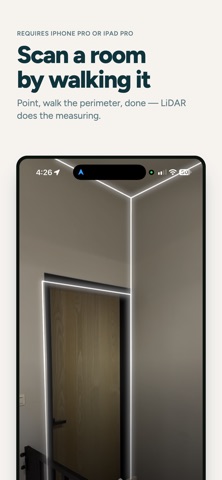
Floor Plan Scan turns a walk around a room into a clean 2D floor plan. Point your device at the walls, and the LiDAR scanner picks up walls, doors, windows, and furniture as you go. When the scan finishes, the plan appears right away. It's built for one job: capturing the rooms behind Meeting Room 365. Scan a space, export the file, and upload it in the Meeting Room 365 admin portal — where it becomes the floor map people see when they book a room. SCAN A ROOM Walk the room slowly with the camera pointed at the walls. The scanner reads the shape of the space and everything in it, and shows you the result as a 2D plan the moment you stop. BUILD A FLOOR, ONE ROOM AT A TIME Every scan is kept on your device. Take a whole floor room by room, come back to any capture later, rename it, re-draw the plan, or delete it. EXPORT AND UPLOAD Share scan files out of the app and upload them in the Meeting Room 365 admin portal. That last step is where a scan turns into the floor map your team books against. REQUIREMENTS Scanning needs the LiDAR scanner found on Pro iPhone models and iPad Pro. On other devices you can still open, review, and re-share plans that were scanned elsewhere. Meeting Room 365 helps teams manage and book meeting rooms. Floor Plan Scan is the companion that gets your rooms onto the map.
Details