
Chart standing · US
Screenshots



About
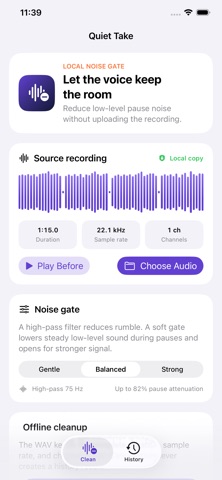
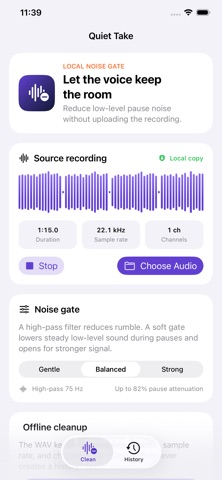
Make spoken recordings easier to review without sending the file to a server. Quiet Take copies an audio file you choose into its local sandbox and applies a conservative Balanced cleanup. It reduces rumble and steady low-level noise during quieter passages, while keeping the original duration, sample rate, and channel count in the exported WAV. WHY IT HELPS • Keep imported audio on your device; no account or microphone permission is required. • Inspect duration, sample rate, channels, and a real waveform before processing. • Listen to the source and cleaned result before deciding what to keep. • See measured pause-floor reduction and peak change instead of a made-up quality score. • Reopen verified results from history and reach the standard share sheet. HOW IT WORKS 1. Choose an audio file from Files. 2. Run Balanced cleanup and compare before with after. 3. Keep or share the complete verified WAV. Quiet Take is designed for voice memos, interviews, lessons, and spoken clips with steady background noise. It does not remove echo, repair clipping, restore missing speech, or erase noise that overlaps speech. Choose a file and hear the measured difference.
Details