

mrkdwn — Markdown Notes Editor
BuenaGames, LLC · Productivity
Independent analytics for this App Store listing. AppTracker is not affiliated with BuenaGames, LLC.
Chart standing · US
What changed · US
Listing changes AppTracker has observed for this app in this storefront — new versions, price moves, rating shifts, and store copy.
Screenshots






About
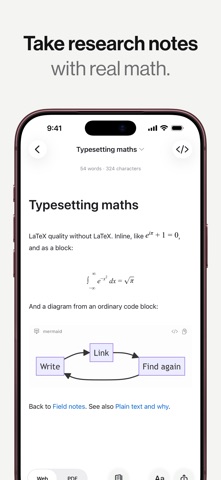
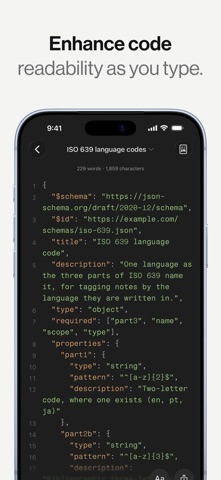
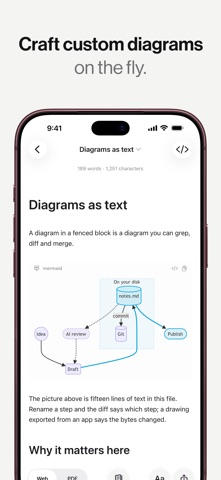
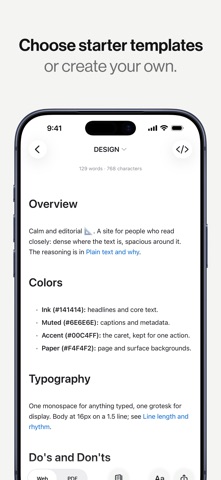
mrkdwn is more than a markdown editor. It is a private place to think, and it keeps every note as an ordinary .md file in a folder you choose. Other note apps ask you to trust a database. This one writes plain text to disk, where Finder, git, grep and any editor you ever switch to can already read it. No account. No subscription. No analytics — mrkdwn collects nothing and sends nothing. NOTES THAT STAY YOURS • Every note is a plain .md file in a folder you picked, not a row in our database • Edit one in another app and mrkdwn picks up the change • The same files open in any other editor, today or in ten years • Lock a note and it is encrypted on disk until you unlock it • iCloud sync merges three ways and marks conflicts, instead of overwriting the older copy • Version history keeps 30 days or 100 versions per note, with word-level diffs and a restore that leaves the current draft intact • Deleted notes go to a trash you can recover from NOTES THAT FIND EACH OTHER • Wiki-style [[links]] resolve as you type • A backlinks panel shows every note pointing at this one • The knowledge graph draws the whole library, filtered by tag or search • Tag a note, then open the tag to read everything filed under it • Quick Open fuzzy-finds any note in a keystroke • Link autocomplete the moment you type [[ • Daily notes arrive dated, every day you write MARKDOWN THAT RENDERS PROPERLY • CommonMark and GitHub Flavored Markdown, with footnotes and callouts • LaTeX math, inline and block, rendered offline • Syntax highlighting for more than 180 languages • Six built-in themes, and you can make your own • Mermaid, Graphviz and Markmap diagrams from ordinary code blocks A SURFACE BUILT FOR DRAFTING • Focus mode fades every paragraph except the one you are writing • Read as editor only, preview only, or both side by side • Typewriter scrolling holds your line in the middle of the screen • Live counts for words, characters, sentences and reading time • Put the command bar in the order you actually work in • Give a folder an icon, a color, and a place at the top of the list • Writing goals track a daily word target and your streak • Authorship marks which passages you typed and which you pasted • Apple's Writing Tools work in the editor, where your device offers them NOTES THAT COME TO YOU • Ask Siri for today's note; find, append and read notes from Shortcuts • Paste a URL and the article comes back as markdown • Clip a page straight from Safari (Mac) • Import from 19 formats, including PDF, PowerPoint, Excel and text read out of images SEE THE SHAPE OF A SENTENCE • Color nouns, verbs, adjectives, adverbs and conjunctions as you type • Style checks flag filler, hedging, repetition and passive voice • Nothing is corrected for you — a flag is information, not an instruction • Every highlight stays off until you switch it on LEAVE WHENEVER YOU LIKE • Export to PDF, EPUB, HTML, RTF, plain text and markdown • Word and OpenDocument export, and Word import (Mac) • Everything works offline, apart from fetching a web page you paste • Or copy the folder and go — the notes were never ours Native on Mac, iPad and iPhone, from one Swift core rather than a web page in a window. A knowledge base you own, for students, teachers, authors, and anyone who would rather keep their thinking in plain files than rent a notes app. Questions? www.buenalabs.io/support
What's new · 1.5.2
See how your notes connect. • A knowledge graph of your whole library, and the local graph of whichever note you are reading • Search it, filter it, and color groups of notes by what they match • Smooth to ten thousand notes, and honest about slowing down past that • Save a graph as SVG or PNG Set the editor in any face you own: • Choose any font installed on your iPhone or iPad, beside the three that come with mrkdwn • Pick it in Settings, or from the aA menu without leaving what you are writing • The measure follows the face, so a line labelled 72 characters still holds 72 More of mrkdwn is in your language: • Eleven languages had their remaining gaps filled, including Japanese, Korean, both Chinese scripts and Italian • Portuguese is now Brazilian and European separately, the way Apple's own apps have them • Terms were checked against the note apps you already use, so Sync and Serif are the words those apps chose rather than ones we invented Also fixed: • The monospaced face ran three dots together and into the character before them • Wiki links showed their brackets in the preview instead of rendering as links • Onboarding told an iPad from an iPhone, and a tip could arrive on top of it • Settings names the folder your notes are in, in words you can go and find it by
Details