

Arc Arch Assistant
小燕 陈 · Utilities
Independent analytics for this App Store listing. AppTracker is not affiliated with 小燕 陈.
Chart standing · US
In-app purchases · US
No in-app purchases.
Screenshots


About
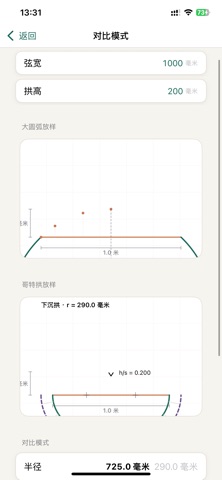
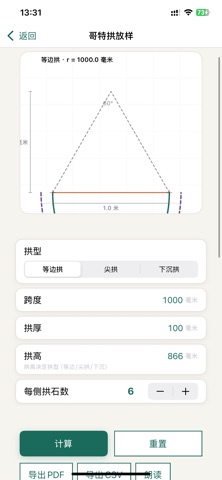
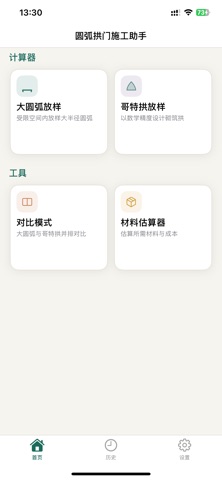
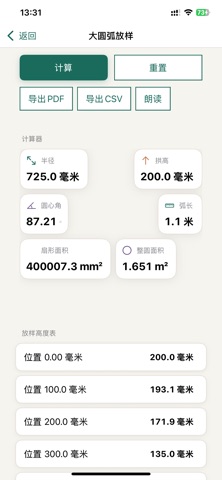
A practical arch calculation tool for architects, designers, and builders Arc Arch Assistant helps you accurately calculate arch structure parameters. From large circular arcs to pointed arches, get complete design parameters and construction drawings with just one tap. Key Features Large Arc Layout Layout large radius arcs in confined spaces with precision. Simply input the chord width and rise height or radius, and the app automatically calculates central angle, arc length, sector area, and other key parameters. Interactive charts show the arc shape visually, while the layout height table provides measurement points with millimeter-level precision. Pointed Arch Design Support three classic arch styles: equilateral, lancet, and drop arches. The app automatically calculates inner and outer radii, arch stone parameters, and arc lengths. Customize the number of arch stones on each side, with detailed size specifications for each stone piece, providing precise data for construction. Side-by-Side Comparison Compare large arcs and pointed arches side by side. See the differences in arc length, height, and shape under the same span, helping you quickly find the ideal solution for your project needs. Smart Material Estimation Input material unit price and waste rate. The app automatically calculates the required number of bricks or wooden boards, total area, and estimated cost, making budget control more accurate. Professional Export Export calculation results as PDF drawings or CSV data tables with one tap. PDF includes complete parameter summaries, layout charts, and construction data, ready for direct use on construction sites. Supports both A4 and US Letter paper sizes. History Management Automatically saves all calculation results. Bookmark important schemes and review historical data anytime to avoid repeated calculations. User-Friendly Design Interactive Charts: Pinch to zoom and see details, intuitive grasp of the arch shape Voice Playback: Tap the speak button to hear calculation results, hands-free for on-site use Flexible Units: Switch between metric millimeters and imperial feet and inches, adapting to different regional construction habits Dark Mode: Protect your eyes, suitable for nighttime construction environments Fully Offline: No network needed, start calculating anytime, anywhere Data Security: All data stored only on your device, nothing uploaded to the cloud Perfect For Architectural design concept validation Construction site layout measurement Historical building restoration reference Decorative arch creation Furniture curved component design Let Arc Arch Assistant be your professional partner for arch construction. From design inspiration to precise construction, every step is backed by reliable data. Note: All calculation results are for reference purposes only. Please verify with professional standards for actual construction.
Details