

Last Time: how long ago?
Claudio Valgimigli · Productivity
Independent analytics for this App Store listing. AppTracker is not affiliated with Claudio Valgimigli.
Chart standing · US
What changed · US
Listing changes AppTracker has observed for this app in this storefront — new versions, price moves, rating shifts, and store copy.
The rhythm of your activities, and two more ways to read the last time. • With enough entries behind it, an activity tells you how often you usually do it. The reminder can adopt that rhythm instead of making you guess an interval. • Time elapsed and date together, on two lines: how long it has been above, the exact day below. The same with the time of day, for the activities where the moment matters too. • Search now looks inside the notes in your history as well.
In-app purchases · US
What this app sells inside itself, grouped by kind and priced for this storefront.
Screenshots


About
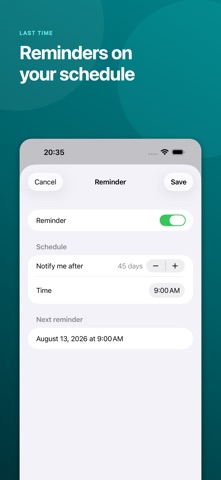
Not everything belongs on a daily to-do list. When did you last change the sheets, call your parents, clean the coffee machine or check the car? Last Time gives occasional activities a simple place to live. Create an activity and record it with one tap. At a glance, you can see how long it has been and the exact date of the last entry. Every entry stays in the history, where you can correct the date and add a note. USE LAST TIME TO • See the activities waiting longest at the top • Record “Done now” or choose a past date and time • Keep a complete history with optional notes • Organize activities into personal categories • Choose colors and symbols for quicker recognition • Set personal reminders after the interval you choose • Check important activities from the Home Screen widget • Archive activities without losing their history • Export and import individual activities • Share activities and their history through iCloud sharing groups NO PRESSURE, JUST CONTEXT Last Time is not built around streaks or a rigid schedule. It helps you remember what happened, so you can decide what should happen next. START FREE Use up to five active activities for free. A one-time purchase unlocks unlimited activities permanently—no subscription. Archived activities do not count toward the free limit. iCloud features require an Apple Account and iCloud availability.
What's new · 1.2
The rhythm of your activities, and two more ways to read the last time. • With enough entries behind it, an activity tells you how often you usually do it. The reminder can adopt that rhythm instead of making you guess an interval. • Time elapsed and date together, on two lines: how long it has been above, the exact day below. The same with the time of day, for the activities where the moment matters too. • Search now looks inside the notes in your history as well.
Details