

eqIos - EQ Music Player
Yusuke Ishiguro · Utilities
Independent analytics for this App Store listing. AppTracker is not affiliated with Yusuke Ishiguro.
Chart standing · US
What changed · US
Listing changes AppTracker has observed for this app in this storefront — new versions, price moves, rating shifts, and store copy.
Screenshots



About
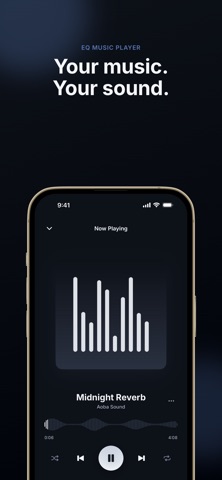
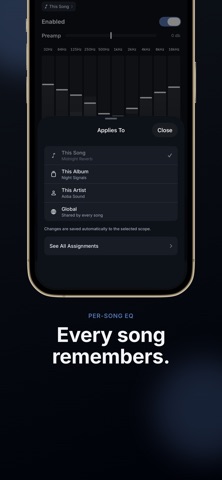
A 10-band equalizer for the music you already own. eqIos is a music player for local audio files stored on your iPhone. It is not a streaming service — it is a tool for the tracks you already have. ■ 10-band graphic equalizer Adjust 32 / 64 / 125 / 250 / 500 / 1K / 2K / 4K / 8K / 16K Hz within ±10 dB. Lift the low end, push vocals forward, tame harsh highs. Dial in a curve that fits the headphones or speakers you actually use. ■ Every song remembers its EQ Save a curve to this song, this album, this artist, or the global default. It comes back on its own the next time you play, resolved song > album > artist > global — a heavier low end for one band, something restrained for one album, decided once and then left alone. There is no save button: move a fader and it is written to whichever scope you picked. Settings > EQ Assignments lists everything you have saved and lets you remove any of it. ■ 22 presets, plus your own Flat, Acoustic, Bass Booster, Classical, Dance, Electronic, Hip-Hop, Jazz, Rock, Vocal Booster and more. One tap switches the sound to match the track. Name a curve you like and it joins them under My Presets, where it can be renamed or deleted later. A preamp (±10 dB) keeps the overall level in balance. ■ Supported formats mp3, m4a, wav, and flac. FLAC is decoded natively by iOS, so 24-bit / 96 kHz and higher hi-res files play as-is. ■ Importing music ・Pick files in the Files app ・Paste a direct HTTPS link to an audio file ・Import from your device's Music Library ・Copy files in bulk over Finder / iTunes file sharing Tracks added from Files and the Music Library are referenced in place, so they do not take up storage twice. ■ Library Switch between Songs, Albums, Artists, and Playlists. Albums are ordered by disc and track number, and albums with several contributors are grouped as "Various Artists". Search covers titles, file names, artists, and albums at once. ■ Playlists Create, rename, delete, and reorder by dragging. Play or shuffle a playlist on its own. If you rename a file after importing it, eqIos relinks the track automatically when the match is unambiguous. ■ Player Album art, waveform seek, shuffle, repeat (off / all / one), and AirPlay output selection. Background playback and a mini player are included. ■ Privacy eqIos collects no data. Your audio and your settings stay on the device. There are no analytics tools and no ad SDKs. ■ Before you buy ・This is not a music streaming service. It plays only the audio files you supply. ・DRM-protected tracks, such as Apple Music catalog songs, cannot be played. ・Ogg FLAC (.oga / .ogg) is not supported. ・URL import accepts direct links to audio files only, up to 500 MB per track.
What's new · 1.0.1
Bug fixes • Fixed artwork, titles, artist names, and durations sometimes not appearing for tracks added from the Files app, including iCloud Drive. Tracks whose contents had been removed from the device are now fetched automatically when needed.
Details