

Semnia: Screenshot Manager
Eugen Tamasanu · Productivity
Independent analytics for this App Store listing. AppTracker is not affiliated with Eugen Tamasanu.
Chart standing · US
What changed · US
Listing changes AppTracker has observed for this app in this storefront — new versions, price moves, rating shifts, and store copy.
Screenshots now sort by the app you took them in. • Apps, a new filter next to Sites. Semnia works it out on the phone. The ones it can't place wait under Not sorted yet, where it asks "What app is this?" about the ones that look alike. • Name an app once — even one Semnia didn't know — and it offers the screenshots that look like it, and can file the next ones by itself. • Show similar: press and hold a screenshot to see the ones that look like it, closest first. • A PDF you share says "made with Semnia" on its first page. Settings → Sharing turns it off. • Fixes from a full review of the code.
Screenshots



About
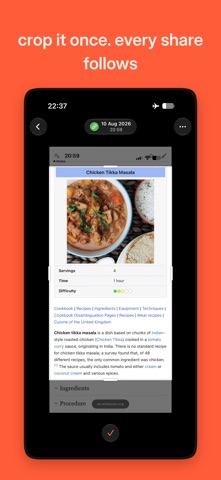
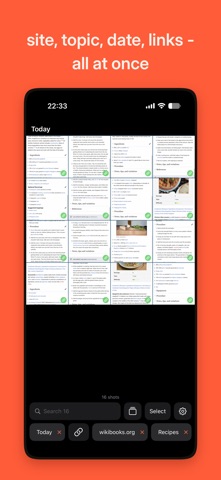
Screenshots you take in your iPhone's built-in browser remember where they came from: tap one and the page opens again, at the part you were reading. All your screenshots sort themselves — into topics, and by the app you took them in. Share a few and the links travel with the pictures — whoever you send them to opens the real pages too. WHAT IT DOES • Takes you back to the page. A tap on a browser screenshot reopens it where you took it. A green dot means that exact page, a grey one means the site. • Follows your parcels. Screenshot the courier's text and it becomes a link to that parcel's page. • Sorts itself. Recipes, orders, parcels, shopping… and topics you make yourself. Narrow the grid by day, by site, by app, by topic, by whether a screenshot has a link — and they stack, with each other and with whatever you type. • Groups them by app. Screenshots file themselves under the app you took them in, when Semnia can tell. The rest wait under Not sorted yet, where it asks about the ones that look alike. Every one you name teaches it, so the next ones from that app can file themselves. • Sends the links with the pictures. Put several screenshots on one page and share it: in the PDF, a screenshot that has a link keeps it. Save that page as a card and it stays yours — reopen it, share it again, add to it. • Searches the words inside them, as you type, across the whole library — in any script your iPhone can read, or by the site a screenshot came from. They show up in the iPhone's own search too. • Shows the ones that look alike. Show similar lines up the screenshots that look like the one you picked, closest first — the same page taken twice, the same kind of screen. • Keeps its own copies, so your screenshots stay usable here even after you clear them out of Photos. PRIVACY No account. No cloud. No server of its own. The reading, the search, the topics, the apps and the links are all worked out on your phone, and nothing is ever uploaded. The only pages Semnia loads are the ones you tap. FREE, AND FULL Free on your newest 500 screenshots — the whole app, not a trial. One payment opens the rest of your library, for good. GOOD TO KNOW Reopening the exact page works from the moment you switch the Semnia extension on (Settings → Apps → Safari → Extensions) — it has to be watching when you take the screenshot. Screenshots you already had are still read, searched and sorted, and Semnia links what it can read off the picture itself, which usually reopens the site rather than the exact page. Everything else works without the extension. Parcel links cover the major couriers, and new ones are added all the time — a missing courier is one mail to support@semnia.com away. A parcel from an unknown courier is still kept and still searchable, just without the tracking link. A screenshot of a courier thread holding several parcels opens each of them: tap the find-links button in the viewer and every tracking number on it becomes tappable. Words are read in the languages your iPhone itself can read. A screenshot in a script iOS cannot read is still kept and still yours — just not findable by its words. A PDF you share says "made with Semnia" on its first page, as a link to the website. The link is the same in every PDF, and Settings → Sharing turns it off.
What's new · 1.1.0
Screenshots now sort by the app you took them in. • Apps, a new filter next to Sites. Semnia works it out on the phone. The ones it can't place wait under Not sorted yet, where it asks "What app is this?" about the ones that look alike. • Name an app once — even one Semnia didn't know — and it offers the screenshots that look like it, and can file the next ones by itself. • Show similar: press and hold a screenshot to see the ones that look like it, closest first. • A PDF you share says "made with Semnia" on its first page. Settings → Sharing turns it off. • Fixes from a full review of the code.
Details