

QuickScan: OCR Docs Scanner
EL AANOUNI Lahoussaine · Productivity
Independent analytics for this App Store listing. AppTracker is not affiliated with EL AANOUNI Lahoussaine.
Chart standing · US
What changed · US
Listing changes AppTracker has observed for this app in this storefront — new versions, price moves, rating shifts, and store copy.
• Better language and permission localizations • Smoother camera and lists on iOS • Stability and performance improvements
In-app purchases · US
What this app sells inside itself, grouped by kind and priced for this storefront.
Screenshots






About
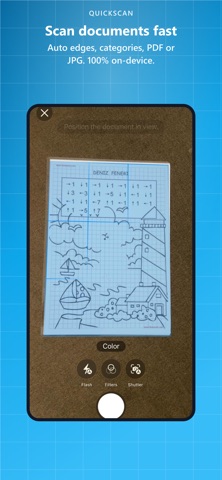
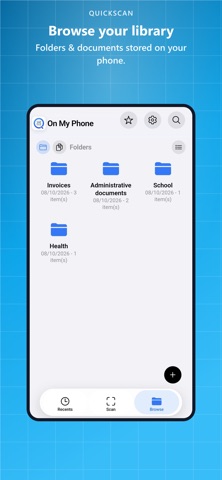
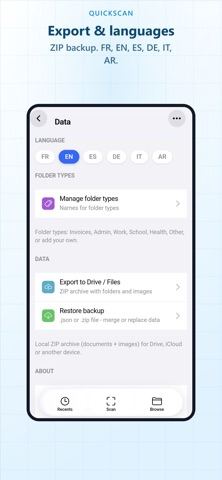
QuickScan turns your iPhone into a document scanner. Frame pages, crop edges, save as PDF or JPG. Everything stays on your device. WHY QuickScan • Fast PDF document scanner • On-device OCR: text is read on your iPhone without sending images to PikScan • Multi-page: up to 20 pages, one PDF or separate documents • Folders for invoices, admin, work, school, health and more • Quick share as PDF or image • No account, no mandatory cloud • Free with light ads. Optional Premium (one-time purchase) to remove ads GREAT FOR • Invoices and receipts • Admin paperwork • Contracts and personal archives • Offline scanning HOW IT WORKS 1. Scan with the camera or import from Photos / Files 2. Name it and pick a folder type 3. Save locally, share, or run OCR PRIVACY Your documents stay on your iPhone. PikScan does not receive your scan contents. Privacy: https://quickscan.pikscan.com/en/privacy/ Terms: https://quickscan.pikscan.com/terms/ QuickScan by PikScan Support: support@pikscan.com
What's new · 1.0.8
• Better language and permission localizations • Smoother camera and lists on iOS • Stability and performance improvements
Details