

Time Warp Scan: Live Camera
Ha Quyen Ho Thi · Photo & Video
Independent analytics for this App Store listing. AppTracker is not affiliated with Ha Quyen Ho Thi.
Chart standing · US
What changed · US
Listing changes AppTracker has observed for this app in this storefront — new versions, price moves, rating shifts, and store copy.
Performance and stability improvements
Price & rating history · US
Reconstructed from the listing changes AppTracker has observed in this storefront. A field is charted once it has changed more than once, and each line starts at the value it moved from.
Average rating · ★ 4.34 now · 22 changes on record
In-app purchases · US
No in-app purchases.
Screenshots





About
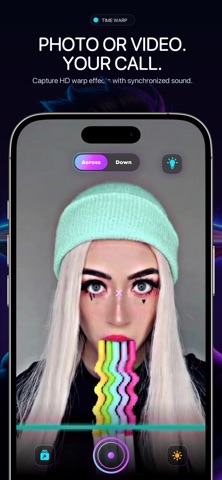
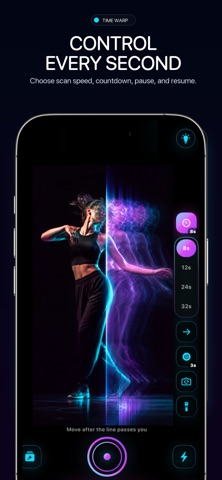
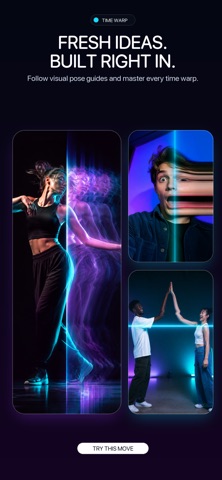
BEND TIME. BREAK REALITY. A live scan line freezes each slice of the frame as it passes. Hold still, then move at the right moment. The warp is captured on your iPhone, with no editing timeline. FREE Classic, Split, and Zipper. Shoot and save photos. No ads, no watermark, and no account. TIME WARP PRO Weekly, monthly, or yearly. Monthly includes a 3-day trial. Pro adds 10 modes, video, Live Photo, GIF, the full editor, and 60 fps. The price is shown before you subscribe. Cancel anytime in Settings. FREE MODES Classic — one line sweeps across and freezes time behind it. Split — two lines race apart from a point you tap. Zipper — two lines close in from opposite edges. PRO MODES Portal — a ring of frozen time grows outward. Black Hole — time collapses toward one point. Vortex — a beam sweeps in a circle. Liquid — a rolling wave. Melt — frozen time drips downward. Heart — a heart opens from a point you tap. Star — a five-point star spreads across the frame. Mosaic — tiles freeze at different moments. Time Brush — paint with your finger to freeze anything, then tap Done. Clones — freeze several poses of yourself in one shot. Each pose is marked with a flash. SCAN CONTROLS Free: Up to 8 directions, including diagonals, depending on the mode. Durations of 3, 5, 8, 12, 16, 24, or 32 seconds. Speed curves: Steady, Smooth, Rush, Brake, and Beat. Countdown off, or 3, 5, or 10 seconds. Pause and resume during a scan. Tap to place the center on Split, Zipper, and the point-based Pro modes. Scan-line styles: Electric, Prism, Solar, Neon, Laser, Aurora, Glitch, Holo, Ghost, or hidden. Freeze tint on the frozen past only: Off, Mono, Ice, Memory, X-Ray, or Neon. Front or back camera, torch, tap to focus, and pinch to zoom. Mirror front-camera selfies. Grid, and a ghost of your last warp. Ring light raises screen brightness for dark selfies. Start with an open palm, or with the volume buttons. 30 fps capture. Pro: 60 fps capture. SAVING Free: Save a warp photo to Photos. Crop to 4:5 or square, rotate, and adjust before saving. Looks: Original, Vivid, Mono, and Noir. Pro: Record video, with microphone audio if you allow it. Export video, a Live Photo, or a GIF. Share with any compatible app. Looks: Vintage, Cyber, Golden, Frost, Dream, Thermal, VHS, and Pop. Captions, music, and playback at 0.5×, 1×, 2×, and 4×. Free and Pro saves have no watermark. ALSO FREE Recipes show the pose, then apply that camera setup in one tap. A Pro recipe asks you to subscribe first. Daily challenges, streaks, and badges. Studio keeps saved warps in the app for replay, favorites, and deletion. Deleting one does not remove the Photos original. Siri, the Action button, and Control Center. PRIVATE BY DESIGN Camera and microphone frames stay on your iPhone. Clones and palm-to-start use on-device vision. Nothing is uploaded. No account, no ads SDK, no analytics SDK, and no cross-app tracking. Photos access is add-only. The microphone is optional and is used only for video with sound. Download Time Warp Scan and bend the next moment your way. Privacy Policy: https://sites.google.com/view/sv56developer/privacy-policy Terms of Use (EULA): www.apple.com/legal/internet-services/itunes/dev/stdeula/
What's new · 2.0
Performance and stability improvements
Details