

Phlix Photos
jason loomis · Photo & Video
Independent analytics for this App Store listing. AppTracker is not affiliated with jason loomis.
Chart standing · US
What changed · US
Listing changes AppTracker has observed for this app in this storefront — new versions, price moves, rating shifts, and store copy.
Slideshows • Each photo is loaded before its turn, so slides change on time with no blank frames • A photo that will not load is skipped instead of stalling the show, and so is a video clip that will not play • The controls hide themselves after a few seconds. Tap to bring them back, and swipe left or right to step through the slides • A slideshow started at the top of a library plays the whole library in the order shown, including photos kept outside folders, and starts sooner • A Timeline slideshow covers every year, not only the newest Photos and saving • Photos your server cannot convert (some HEIC, RAW and TIFF files) fall back to the best copy available instead of a blurry thumbnail • The Timeline no longer comes up short on slower servers • Search finds video clips as well as photos • You can see how many of your 25 free saves are left, and a save that fails no longer uses one • A download that failed can be tried again Phlix Pro • A clearer Pro screen that says exactly what is free and what Pro adds, with plainer messages when a purchase or restore does not go through
Screenshots


About
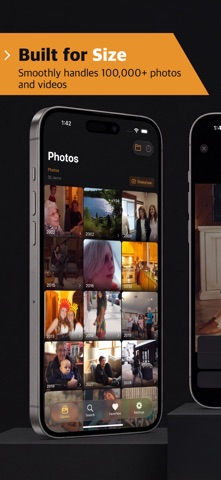
Your Plex photo library on your iPhone and iPad: folders, a date timeline, slideshows and search. Free to browse, with no ads. FREE • Folders that follow the folders on your server, and a date timeline one tap away • A year scrubber on the timeline: tap 1987 to see just that year • Built for big libraries: Phlix loads a page at a time instead of everything at once • Full-screen viewer with pinch to zoom, and a video player that remembers where you stopped • Slideshows of a folder, a year or the whole library, with shuffle, loop and 2, 4, 6 or 10 seconds a slide • Compatible with AirPlay Screen Mirroring, to put a slideshow on your TV • Search photo and video titles, tags and collections • Favorites, saved on your device • Save photos and videos to the Photos app: your first 25 saves are free • Use your own server or one shared with you, and switch between its photo libraries • On cellular and in Low Data Mode, Phlix stops loading ahead of you • iPhone and iPad, with a sidebar layout on iPad, and VoiceOver support PHLIX PRO (OPTIONAL) • Unlimited saves to the Photos app • Big-screen slideshows: on an AirPlay 2 extended display or an HDMI display, the TV shows just the photos, full screen, while your iPhone or iPad shows the controls • Pay once, with Family Sharing, or subscribe by the year. The yearly plan renews each year until you cancel • Try Pro free for 14 days. The trial is not a subscription: it never renews and never charges you GOOD TO KNOW • Needs a Plex Media Server with at least one photo library, and iOS 17 or later • Photo libraries only: Phlix does not play your movie, TV or music libraries • Read-only: Phlix never changes or deletes anything on your server • HEIC, RAW and TIFF photos are converted by your Plex server. If it cannot convert one, Phlix shows the best copy it can get • You sign in on Plex's own sign-in page, so Phlix never sees your password, and there is no Phlix account to create • Phlix sends usage and error statistics tied to a random ID on your device, never your name, Plex account, photos, file names or server address. You can turn that off in Settings --- Phlix is an independent application and is not affiliated with, endorsed, or sponsored by Plex, Inc. Plex, the Plex Play logo, and Plex Media Server are trademarks of Plex GmbH and used under a license. Terms of Use (EULA): https://www.apple.com/legal/internet-services/itunes/dev/stdeula/
What's new · 1.0.12
Slideshows • Each photo is loaded before its turn, so slides change on time with no blank frames • A photo that will not load is skipped instead of stalling the show, and so is a video clip that will not play • The controls hide themselves after a few seconds. Tap to bring them back, and swipe left or right to step through the slides • A slideshow started at the top of a library plays the whole library in the order shown, including photos kept outside folders, and starts sooner • A Timeline slideshow covers every year, not only the newest Photos and saving • Photos your server cannot convert (some HEIC, RAW and TIFF files) fall back to the best copy available instead of a blurry thumbnail • The Timeline no longer comes up short on slower servers • Search finds video clips as well as photos • You can see how many of your 25 free saves are left, and a save that fails no longer uses one • A download that failed can be tried again Phlix Pro • A clearer Pro screen that says exactly what is free and what Pro adds, with plainer messages when a purchase or restore does not go through
Details