

Pocket Office: AI Office Suite
Stefan Epistatu · Productivity
Independent analytics for this App Store listing. AppTracker is not affiliated with Stefan Epistatu.
Chart standing · US
What changed · US
Listing changes AppTracker has observed for this app in this storefront — new versions, price moves, rating shifts, and store copy.
Pocket Office is now Pocket Office Signature Pro — and this is our biggest release: • Connect a cloud qualified certificate (CSC standard) and place qualified signatures • Microsoft account support: browse OneDrive, sign a document, upload it back • Receipts organiser, document folders and Face ID lock, consolidated from our ScanPro AI app • Merge PDFs and protect them with a password • Business cards: first and last name are now filled in separately and read far more reliably • The optional AI features now explain what is sent and to whom, and ask your permission first
In-app purchases · US
No in-app purchases.
Screenshots




About
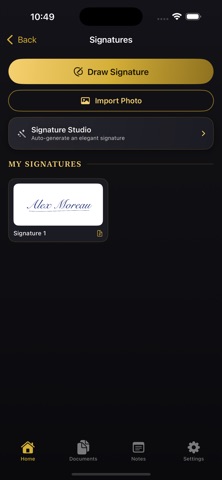
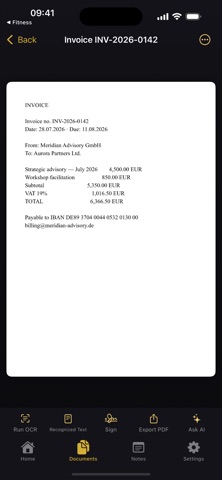
Put a verifiable cryptographic seal on your documents — then run the rest of your paperwork from the same pocket. Pocket Office Signature Pro builds standards-compliant PAdES signatures directly on your iPhone or iPad. Any later change to a signed file becomes detectable, and validators such as Adobe Acrobat can check the seal. Pay once, own it — there is no subscription and no account to create. A SEAL THAT CAN BE VERIFIED • Advanced electronic signature (PAdES/CAdES) written into the PDF itself • Your signing key is generated inside the Secure Enclave chip and can never leave your device • Each signature carries a timestamp from a qualified EU trust-list authority, proving when it was made • Import a .p12 certificate from your organisation instead, if you have one • Add a visible stamp — hand-drawn, photographed, or composed in five calligraphic styles — or keep the seal invisible BRING YOUR QUALIFIED CERTIFICATE Hold a cloud qualified certificate at an EU trust service provider? Connect it through the CSC standard and the signatures you place become qualified electronic signatures — the level courts across the EU treat like ink. The document itself never leaves your device; only its fingerprint is sent for signing. YOUR MICROSOFT FILES, CONNECTED Sign in with your Microsoft account to browse OneDrive, pull in a contract, seal it, and push the signed copy straight back. Opens Word (.docx), Excel (.xlsx) and PowerPoint (.pptx) files. No Microsoft subscription required — a free account is enough. EVERYTHING AROUND THE SIGNATURE • Capture paper with the camera or import photos and PDFs • Read text out of any page, entirely on-device, and search your whole library • Turn PDFs into editable Word files and Word files into print-ready PDFs • Shrink, combine or password-protect PDFs before sending • File receipts with amounts and categories picked out automatically • Sort documents into folders; guard the app with Face ID • Cards, notes and a clipboard keeper round out the kit • QR codes: read them live and design your own CLAUDE, IF YOU WANT IT Paste your own Anthropic API key and Claude can condense contracts, pull out figures, translate, or tidy your notes. Before anything is sent, the app shows you exactly what leaves your device and who receives it, and asks your permission — which you can withdraw at any time. Entirely optional: nothing else in the app needs a key, a login, or the internet. 24 EUROPEAN LANGUAGES Deutsch, Français, Español, Italiano, Português, Nederlands, Polski, Română, Svenska, Dansk, Norsk, Suomi, Čeština, Slovenčina, Magyar, Ελληνικά, Български, Hrvatski, Slovenščina, Lietuvių, Latviešu, Eesti, Українська — and English. NOTHING PHONES HOME Processing happens on your device. There are no analytics, no tracking and no middleman servers. The only network calls are the ones you choose: the timestamp authority, your Microsoft account, your certificate provider, or Claude with your own key. Questions? office@ipstso.org
What's new · 2.0.0
Pocket Office is now Pocket Office Signature Pro — and this is our biggest release: • Connect a cloud qualified certificate (CSC standard) and place qualified signatures • Microsoft account support: browse OneDrive, sign a document, upload it back • Receipts organiser, document folders and Face ID lock, consolidated from our ScanPro AI app • Merge PDFs and protect them with a password • Business cards: first and last name are now filled in separately and read far more reliably • The optional AI features now explain what is sent and to whom, and ask your permission first
Details