

Moments by NFC.cool
Nicolo Stanciu · Photo & Video
Independent analytics for this App Store listing. AppTracker is not affiliated with Nicolo Stanciu.
Chart standing · US
What changed · US
Listing changes AppTracker has observed for this app in this storefront — new versions, price moves, rating shifts, and store copy.
• Reimagine a photo with Image Playground before you add it, on iPhones with Apple Intelligence. Album owners can turn it off. • Add as many photos and videos as you like in one go, from the app or the share sheet. • Big batches upload faster, several photos at a time. • A new photo panel when you review: see every photo at once, then remove several together or give them the same look. • Busy event? Let everything in automatically for 24 or 48 hours instead of approving one by one. • Guests can like and comment right from the App Clip. • Bug fixes and improvements.
In-app purchases · US
What this app sells inside itself, grouped by kind and priced for this storefront.
Screenshots



About
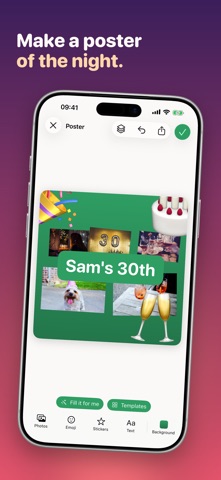
Some things deserve an album of their own. Moments turns an NFC tag into a shared album. Put the tag on the thing the photographs are about: the guest book at a wedding, the back of a frame, a caravan, a christening gift. Anyone who taps it with their phone opens the album and can add to it. They need no account, and they do not have to install anything. They tap, they add a photo, they type a name if they want to. That is the whole of it. YOU DECIDE WHAT APPEARS • Nothing a visitor adds is visible until you have approved it, unless you choose to let everything in for a day or two. • Anyone can report a memory or a comment, and a report hides it immediately, before anybody looks at it. • You can block someone from an album, and what they left goes with them. • You can delete your account, and everything in it, from inside the app. AN ALBUM THAT STARTS ON YOUR PHONE An album you make is yours and lives on this phone. Every photograph, full size, no account required. It moves to the internet on the day you want other people to reach it: a tag, a link, a second device. That is the part you pay for. WHAT IS IN IT • Photographs kept at the resolution you took them. Video is kept too. • Every copy anyone is shown is re-encoded from scratch, and the camera, the lens and the serial number never travel with it. • Where a photograph was taken does travel with it, because that is part of the memory rather than a detail of the file. • Comments and reactions, from people who never made an account. • A camera built for the album: looks you can choose before the shutter, and marks and stickers you can put on a photograph as you add it. • Everything mirrored back onto your phone, so an album opens in a cellar with no signal. WHAT IT COSTS Moments is free to use, and an album that lives on this phone stays free. Putting an album on the internet, where other people can reach it, is the part you buy. • One album: one payment, yours to keep, in four sizes from 2 GB to 15 GB. A full album grows by paying the difference. • All your albums: a subscription, billed every month, covering every album you make. Subscriptions renew every month until you cancel them in the App Store. NO ANALYTICS, NO ADVERTISING, NO TRACKERS Not switched off. Absent. There is no analytics script, no advertising pixel and no third-party tracker anywhere in this application, and nothing you do here is reported to anybody else. Terms of Use (EULA): https://www.apple.com/legal/internet-services/itunes/dev/stdeula/ Privacy notice: https://tap.nfc.cool/privacy
What's new · 1.1
• Reimagine a photo with Image Playground before you add it, on iPhones with Apple Intelligence. Album owners can turn it off. • Add as many photos and videos as you like in one go, from the app or the share sheet. • Big batches upload faster, several photos at a time. • A new photo panel when you review: see every photo at once, then remove several together or give them the same look. • Busy event? Let everything in automatically for 24 or 48 hours instead of approving one by one. • Guests can like and comment right from the App Clip. • Bug fixes and improvements.
Details