

Memon for Mobile
Yusuke Fukasawa · Productivity
Independent analytics for this App Store listing. AppTracker is not affiliated with Yusuke Fukasawa.
Chart standing · US
What changed · US
Listing changes AppTracker has observed for this app in this storefront — new versions, price moves, rating shifts, and store copy.
Bug fix: - Fixed group drag-and-drop detection area
In-app purchases · US
No in-app purchases.
Screenshots





About
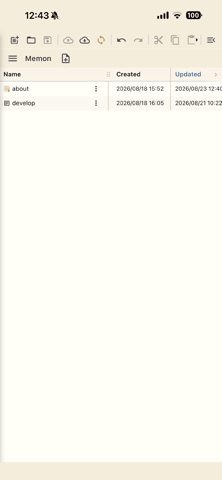
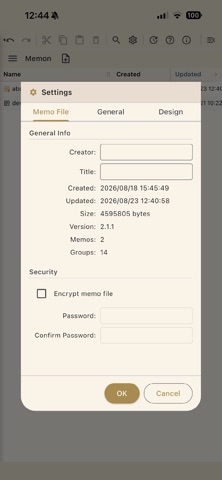
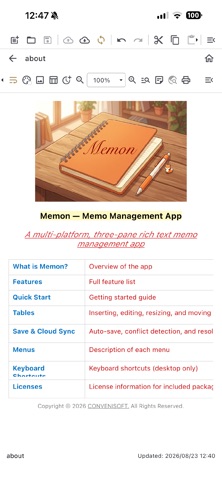
Memon is a three-pane, email-style note management app with rich text editing. A macOS version is also available — using both together is highly recommended. Key Features [Note Management] · Hierarchical tree organization with groups and notes · Color-coded display by importance level (star rating) · Tag assignment and list view · Icon customization for groups and notes (18 standard categories, 12 colors, custom images) · Note sorting (by updated date, created date, title, importance, or tag) · Move notes to another group (desktop: drag & drop; mobile: long-press to enter selection mode, then use checkboxes to select multiple notes) · Resizable list column widths (drag column headers to adjust) [Rich Text Editing] · Bold, italic, underline, strikethrough · Text color and background color · Headings (H1–H3) · Bullet lists, numbered lists, and checklists · Per-note background color · Image support (insert, resize, copy, move, delete) · Zoom in/out (desktop: Ctrl + mouse wheel) [Tables] · Add, delete, resize, and move rows and columns · Resize and align the entire table · Cell formatting (bold, italic, underline, text color, background color, horizontal/vertical alignment) · Cell copy & paste (TSV-compatible with Excel and Numbers) [Search] · Full-text search across all notes · In-editor text search · Search selected text on Google [Cloud Integration] · Save and load via iCloud Drive (macOS / iOS) · Save and load via Google Drive (all platforms) · Save and load via OneDrive (all platforms) · Your local note file is the single source of truth, automatically synced to the cloud on every save [Import / Export] · Import XML note files from the original Windows version of Memon · Bulk import text files from a selected folder · Export selected notes as text, PDF, or rich text (RTF) files · Export groups as text, PDF, or RTF files in a folder hierarchy [Other] · Password protection with AES encryption · Print (launched from the editor toolbar — printer selection, margins, header/footer, and preview) · Sticky note display (open a note as a floating window on the desktop) · Home screen widgets · Font and background color customization · In-app update checker
What's new · 2.5.1
Bug fix: - Fixed group drag-and-drop detection area
Details