

iThousand - Qianziwen
天从 何 · Education
Independent analytics for this App Store listing. AppTracker is not affiliated with 天从 何.
Chart standing · US
In-app purchases · US
What this app sells inside itself, grouped by kind and priced for this storefront.
Screenshots
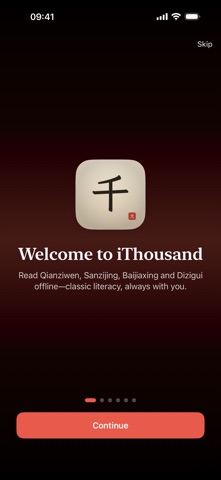


About
Heaven and Earth, dark and yellow. Zhou Xingsi wrote the Thousand Character Classic (Qianziwen) with one thousand unique characters, four to a line. iThousand is an offline study app built for that book: bilingual reading, stroke-order cards, recitation, and practice. Start from Daily Line. Sanzijing, Baijiaxing, and Dizigui are included for extra review. The spine of the app is Qianziwen. For adults, parents, and learners abroad. No account, no ads. Open the app and read Qianziwen. 1. The complete Qianziwen, stanza by stanza Sixty-three groups, up to four lines each. Read in original order, or by five themes from cosmos to learning. Every stanza has pinyin, a vernacular reading, and English for study. About fifty famous lines live in Browse. 2. Read to understand, not only to look Switch among bilingual, Chinese-only, and English-only. Pinyin, vernacular, and English turn on and off on their own. Simplified, Traditional, and English UI. Vertical layout, type size, and segmented reading are adjustable. Immersive mode hides extra controls. Press and hold to copy, translate, or speak. Finish a stanza and go into Primer Hall. 3. Tap a character. Watch the stroke order. Tap a character beside its sentence to open a card: pinyin, meaning, and stroke-order animation you can replay. Export a card as an image. Swipe to neighboring characters in the same line. Search by character, pinyin, radical, or stroke count. Bookmark hard characters into Saved Characters and review them from Home, a widget, or Settings. About 1,660 cards load on demand. 4. Recite until the line stays The recitation workbench highlights line by line. Choose original, vernacular, or English. Adjust speed and pitch. Continuous play, background audio, and play in silent mode are supported. Keep the screen on while you follow. On iPhone, Live Activities can show the current line on the Lock Screen. 5. Primer Hall: from read to remembered Fade, fill-in, chant check, and quiz. Fade and quiz update mastery. Batch queues line up stanzas. Home also has Character Hunt: given one character, write a sentence that contains it. 6. Daily Line: let Qianziwen appear today Home shows today's pick. Optional local notifications and seasonal context. Refresh, continue last reading, or jump at random. Consecutive study builds a streak. Put the Daily Line widget on the Home Screen and read one Qianziwen line when you unlock the phone. 7. Favorites, lists, notes, and history Favorite a stanza and sort by book or theme. Build lists for this week's recitation, play them in a row, or send them to Primer Hall. Write notes. History returns you to where you left off. 8. Share a card Make a share card in several styles and ratios, with English or vernacular if you wish. Send it out, or save it to Photos. 9. Home Screen, Lock Screen, Siri Five widgets: Daily Line, famous lines, mastery, favorites, and saved characters. Lock Screen and StandBy. iOS 18 Control Center, Siri, Shortcuts, and optional Spotlight open today's line, recitation, Primer Hall, Hunt, or a character card. 10. Built around how you read Light, dark, and accent colors. Alternate icons. List or grid. Interface language and reading language are separate. iPhone, iPad, and Mac. Replay the first-run guide. Key controls have spoken labels. 11. Fully offline. Quiet study. No account, no ads, no tracking, no third-party analytics. Original text, pinyin, vernacular, English, and cards live on the device. The full Qianziwen works with the network off. Your lists and progress stay on device unless you turn on iCloud. Send corrections from Settings. You do not have to become an expert in one sitting. Understand one line, then one stanza. Start from Heaven and Earth. iThousand will read Qianziwen with you until it is yours.
Details