
Chart standing · US
What changed · US
Listing changes AppTracker has observed for this app in this storefront — new versions, price moves, rating shifts, and store copy.
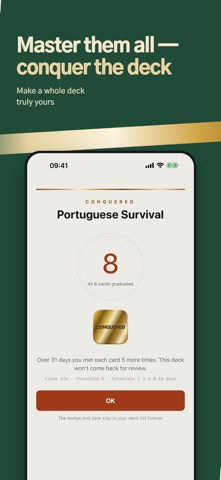
Spaced repetition is here! • Turn on spaced repetition per deck — mastered cards come back at growing intervals (1, 2, 4, 8 days…). • Meet a card enough times and it graduates for good. Adjust the count (2–6) in Settings. • Graduate every card in a deck to conquer it — with a celebration and a permanent gold-foil record. • Organize decks into folders — imports with #flashcards/folder/name tags file themselves. • The progress bar now shows how deeply each card is learned, by color. • The walkthrough now demonstrates gestures for real, and the Manage tab gained a ? guide. • Fixed the auto-advance wait time occasionally resetting.
Screenshots



About
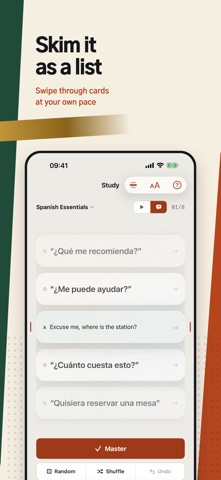
A calm flashcard app that feels like ink pressed on paper. Make your own cards, flip through them, listen, and master them. ■ Quotation marks make cards speak Wrap any phrase in double quotes — like "привет" — and a speaker button appears. The app detects Russian, Japanese, Chinese, English, Spanish and more, and reads each phrase in a native voice. Works even in silent mode. ■ Hands-free auto play Turn on auto-advance and cards flow by themselves: question → answer → next card. It waits for speech to finish, so long sentences never get cut off. Set speech speed per language — fast for one, slow for another. Leave the app and your cards keep going in a floating picture-in-picture window, with playback controls right on the Lock Screen. ■ Import straight from Obsidian & Markdown Bring .md files written in Obsidian Spaced Repetition syntax (question::answer) as they are — just tap "Open in Cramcard" from the Files app. Don't know the syntax? Copy the built-in prompt into any AI chat along with your study material, and the AI writes an importable file for you. Re-import the same file later and only changed cards update — your progress stays. ■ Automatic pronunciation for foreign text On import, foreign phrases can be auto-quoted so they are read aloud. Choose "all languages" and both sides of a card like apple::사과 are each read in their own language. ■ CSV and photos too Import decks from spreadsheets (CSV), and attach photos to questions and answers. ■ iCloud sync across devices Decks made on iPhone appear on iPad — cards, progress, even the spot you left off, synced automatically with the same Apple account. ■ Honest study records See how many times you have viewed each card and how many you have mastered. Reset mastery or history for a whole deck or a single card. ■ One purchase removes ads forever Pronunciation tip: download higher-quality voices in Settings > Accessibility > Spoken Content — the app automatically picks the best installed voice.
What's new · 2.0.7
Spaced repetition is here! • Turn on spaced repetition per deck — mastered cards come back at growing intervals (1, 2, 4, 8 days…). • Meet a card enough times and it graduates for good. Adjust the count (2–6) in Settings. • Graduate every card in a deck to conquer it — with a celebration and a permanent gold-foil record. • Organize decks into folders — imports with #flashcards/folder/name tags file themselves. • The progress bar now shows how deeply each card is learned, by color. • The walkthrough now demonstrates gestures for real, and the Manage tab gained a ? guide. • Fixed the auto-advance wait time occasionally resetting.
Details