

Shrink PDF: Compress PDF Files
hiroki kawamura · Productivity
Independent analytics for this App Store listing. AppTracker is not affiliated with hiroki kawamura.
Chart standing · US
What changed · US
Listing changes AppTracker has observed for this app in this storefront — new versions, price moves, rating shifts, and store copy.
What's New - Fewer ads when you return to the app, and no ad right after sharing. Thanks for using Shrink PDF! Feel free to reach out anytime via "Contact us" in Settings.
In-app purchases · US
What this app sells inside itself, grouped by kind and priced for this storefront.
Screenshots




About
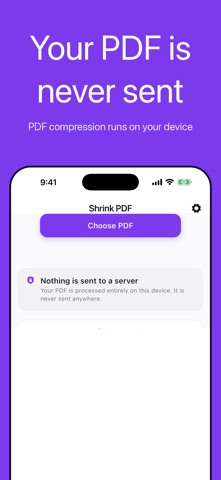
"File is too large." Seeing that right before a deadline is a special kind of stress. Shrink PDF makes heavy PDFs small enough to attach to an email. Pick a PDF, pick how much to compress, done. ◆ See exactly how much smaller it got ・The size before and after sit side by side, in big clear numbers ・In one measured example, 10.3 MB became 1.0 MB (about 90% smaller) ・How much you save depends on what is inside your PDF ◆ Three compression levels, all included ・For email — when it just has to be small ・Standard — a balance of size and appearance ・High quality — stays sharp, still lighter ・None of them are locked behind a purchase. You get all three ◆ Nothing is sent to a server ・Compression happens entirely on this device ・Your PDF is never uploaded anywhere ・Safe for contracts, invoices, scanned IDs and anything else you would rather not hand to a website ・Works with no internet connection at all ◆ Made for moments like ・A form that only accepts files up to 10 MB, and yours is bigger ・An email that bounced back because the attachment was too heavy ・Scanned paperwork that somehow takes several MB per page ・A university or workplace portal that refuses your upload ・A contract or invoice you need to send a client, but it is too large 【How the compression works】 This app rebuilds each page as an image to bring the size down. Because of that, text in the compressed PDF can no longer be selected, copied or searched. Your original file is left untouched, so you can keep both and use whichever fits. 【About Premium】 The app is free to use and the compression features are not limited in any way. The free version shows ads. Premium — an auto-renewing monthly subscription — removes all ads from the app. ・Payment is charged to your Apple ID account at confirmation of purchase ・The subscription renews automatically unless auto-renew is turned off at least 24 hours before the end of the current period ・Manage or cancel in your device Settings → Apple ID → Subscriptions ・There is no free trial period Privacy Policy: https://hecuhecu.github.io/apps/pdf-compress/privacy/ Terms of Use: https://hecuhecu.github.io/apps/pdf-compress/terms/
What's new · 1.1.4
What's New - Fewer ads when you return to the app, and no ad right after sharing. Thanks for using Shrink PDF! Feel free to reach out anytime via "Contact us" in Settings.
Details