

Shortly: Calendar Widget
TurnCards LLC · Productivity
Independent analytics for this App Store listing. AppTracker is not affiliated with TurnCards LLC.
Chart standing · US
Screenshots


About
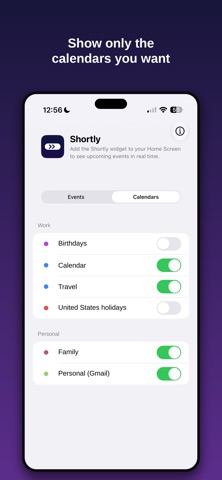
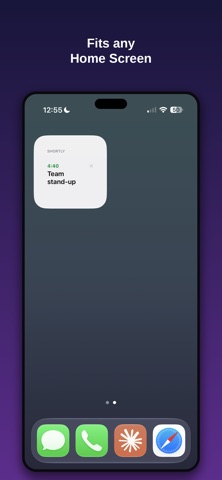
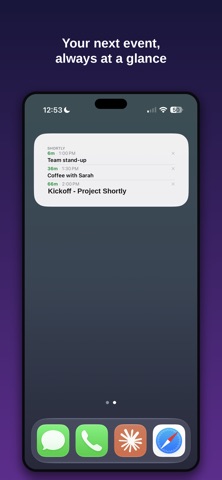
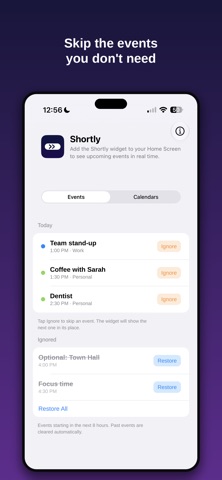
Shortly shows your next calendar event right where you'll see it - on your Home Screen and Lock Screen - with a live countdown so you always know how much time you've got. No app to open, no list to scroll. Just glance and go. WHAT SHORTLY DOES Puts your next event front and center with a countdown that ticks down in real time ("45m", "1h 20m", then a live timer in the final minutes). Shows the event title, start time, and a color dot matching its calendar. Works on both the Home Screen and the Lock Screen. HOME SCREEN WIDGET Small and Medium sizes. Choose how many events to show - 1, 2, 3, or 4 at once. Tap the X on any event to skip it; the next one slides right into place. LOCK SCREEN WIDGET Rectangular and inline styles for the perfect glanceable view. Your next event and its countdown, without unlocking your phone. MADE TO STAY OUT OF YOUR WAY Pick exactly which calendars appear, grouped neatly by account. Ignore events you'd rather skip - from the widget or the app - and restore them anytime. "All clear" when your schedule is empty, so you know at a glance there's nothing next. PRIVATE BY DESIGN Your calendar is read entirely on your device. Nothing is ever uploaded, shared, or transmitted. No account. No login. No network connection required. No analytics, no advertising, no third-party tracking of any kind. Preferences are stored locally using Apple's secure App Group storage. Add the Shortly widget once and get on with your day. Your next thing is always one glance away.
Details