

HEIC Converter: to JPG PNG
hiroki kawamura · Photo & Video
Independent analytics for this App Store listing. AppTracker is not affiliated with hiroki kawamura.
Chart standing · US
What changed · US
Listing changes AppTracker has observed for this app in this storefront — new versions, price moves, rating shifts, and store copy.
What's New - Convert as many photos as you like for free (saving and sending are free for 3 photos a day; unlimited with Premium) - Over the free limit? You can still save or send just the first few photos - Ads no longer appear right after you return from sharing or email Thanks for using HEIC Converter! Feel free to reach out anytime via "Contact" in Settings.
In-app purchases · US
What this app sells inside itself, grouped by kind and priced for this storefront.
Screenshots
About
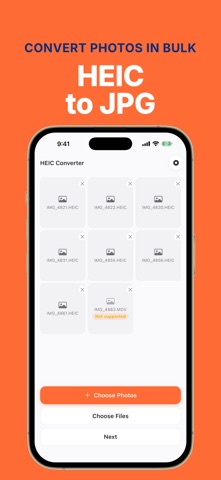
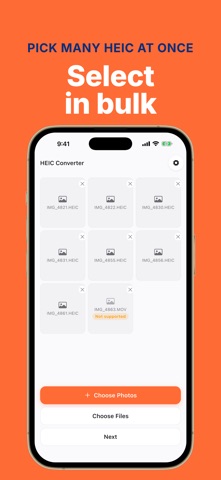
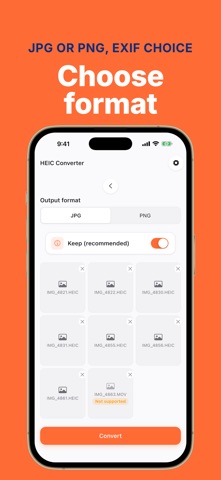
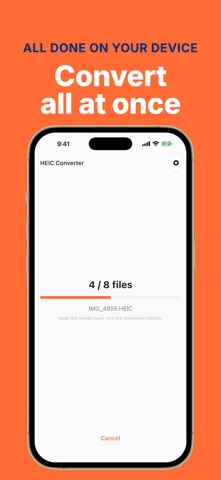
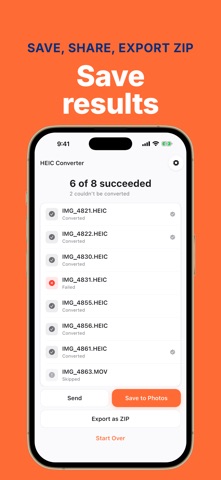
"This file type is not supported" — your iPhone photos (HEIC) won't open on a website form, an office PC, or an older app. HEIC Converter fixes that: pick photos, tap once, and get JPG or PNG — all at once. ◆ Done in 3 steps ・Pick images from Photos or Files ・Choose the output format (JPG / PNG) ・Tap Convert — the whole batch is converted, ready to save or share ◆ Built for batch ・Select as many photos as you need and convert them in a single tap ・HEIC/HEIF → JPG/PNG, plus JPG ⇄ PNG both ways, and WebP import ・Save to your photo library, hand off via the share sheet, or export as ZIP (Pro) ◆ 100% on-device ・Every conversion happens on your iPhone. Your photos are never uploaded anywhere ・No account, no sign-up, no ads ・Works in airplane mode ◆ EXIF under your control ・One toggle decides whether capture date, location and other metadata are kept or stripped ◆ Perfect when ・A job application or government form only accepts JPG ・Photos sent to a Windows PC won't open ・A marketplace or blog upload rejects HEIC ・Legacy software or devices only read JPG/PNG 【Pro (one-time purchase)】 Converting is free for as many images as you like. Saving and sending are free for up to 3 images a day; a single one-time Pro purchase removes the limit and unlocks ZIP export. Pay once — no subscription. Privacy Policy: https://hecuhecu.github.io/apps/heic-converter/privacy/ Terms of Use: https://hecuhecu.github.io/apps/heic-converter/terms/ EULA: https://www.apple.com/legal/internet-services/itunes/dev/stdeula/ Legal Notice: https://hecuhecu.github.io/apps/heic-converter/tokushoho/
What's new · 1.0.2
What's New - Convert as many photos as you like for free (saving and sending are free for 3 photos a day; unlimited with Premium) - Over the free limit? You can still save or send just the first few photos - Ads no longer appear right after you return from sharing or email Thanks for using HEIC Converter! Feel free to reach out anytime via "Contact" in Settings.
Details