

VidTV : Remote
Dixit Kanpariya · Utilities
Independent analytics for this App Store listing. AppTracker is not affiliated with Dixit Kanpariya.
Chart standing · US
What changed · US
Listing changes AppTracker has observed for this app in this storefront — new versions, price moves, rating shifts, and store copy.
Improved TV remote control experience • Added support for more popular TV brands • Improved connection and remote responsiveness • Bug fixes and performance improvements • Enhanced overall app stability and user experience
In-app purchases · US
What this app sells inside itself, grouped by kind and priced for this storefront.
Screenshots



About
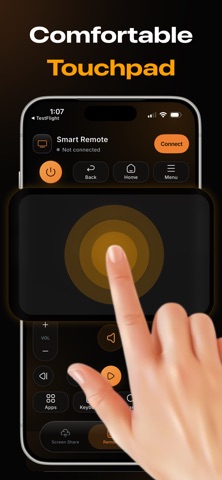
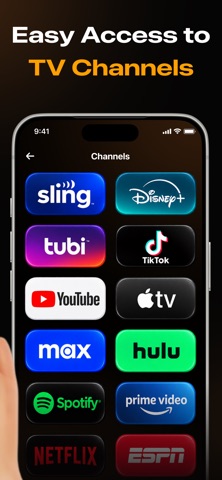
Universal TV Remote – Control Your TV remote is missing again. It's under the couch, the batteries are dead, or someone walked off with it. Universal TV Remote puts a full remote on your iPhone in seconds — no pairing hardware, no cables, no account. Connect your iPhone to the same Wi-Fi as your TV, pick your TV from the list, and you're in control. WORKS WITH YOUR TV Built for the TVs people actually own — Samsung, LG (webOS), Roku, Amazon Fire TV, Android TV and Google Cast devices, plus Sony, Philips, Hisense, TCL and other DLNA-compatible sets. Your TV is found on your network automatically, so there is nothing to type in. EVERY BUTTON YOU REACH FOR Power, volume, mute, channels, input and playback — all laid out where your thumb expects them. Play, pause, rewind and fast-forward respond instantly, so you can pause a scene without hunting for a button. NAVIGATE WITHOUT LOOKING DOWN A large, responsive touchpad lets you swipe through menus the way you swipe through your phone. Prefer arrows? A full D-pad is one tap away, alongside Home, Back and Settings. STOP TYPING ONE LETTER AT A TIME Search for a show, sign in to a streaming app, or enter a Wi-Fi password using your iPhone keyboard. What you type appears on the TV as you type it — no more spelling words out with a D-pad. JUMP STRAIGHT TO YOUR APPS See the apps installed on your TV and open any of them with a single tap. Skip the home screen entirely and go straight to what you were going to watch. [SCREEN SHARE — remove this block if the capture engine is not in the submitted build] SHARE YOUR SCREEN Send your iPhone screen to the TV to show holiday photos, a recipe, a presentation, or a video worth watching bigger. Choose Saver, Balanced or High quality to match your Wi-Fi. BUILT TO FEEL FAST Commands travel straight over your local Wi-Fi, so the TV reacts as you press. The connection reconnects on its own when you come back to the app. IN YOUR LANGUAGE Available in English, Spanish, French, Italian, Portuguese, Danish, Afrikaans, Russian, Arabic, Urdu, Chinese, Japanese, Korean, Thai and Filipino. HOW IT WORKS 1. Connect your iPhone and your TV to the same Wi-Fi network. 2. Open Universal TV Remote. 3. Tap your TV in the list of discovered devices. 4. Start controlling your TV. Some TVs will show a one-time confirmation prompt on screen the first time you connect. Accept it and you're paired for good. GOOD TO KNOW Universal TV Remote works over Wi-Fi only and does not use your TV's infrared receiver, so both devices must be on the same network. Available features vary by TV brand and model. This is an independent app and is not affiliated with, endorsed by, or sponsored by any TV manufacturer. Terms of Use: https://guruappproductions.github.io/VidTV_Remote/terms-of-use.html Privacy Policy: https://guruappproductions.github.io/VidTV_Remote/privacy-policy.html
What's new · 1.3
Improved TV remote control experience • Added support for more popular TV brands • Improved connection and remote responsiveness • Bug fixes and performance improvements • Enhanced overall app stability and user experience
Details