

Live Orbit - Satellite Tracker
Apps Made Better LLC · Reference
Independent analytics for this App Store listing. AppTracker is not affiliated with Apps Made Better LLC.
Chart standing · US
What changed · US
Listing changes AppTracker has observed for this app in this storefront — new versions, price moves, rating shifts, and store copy.
Live Orbit 2.2 now supports iPad, with a native workspace designed for its larger display. Explore the globe alongside satellite browsing and details, with layouts that adapt to portrait, landscape, and resized windows.
Ratings breakdown · US
The star breakdown behind this app's rating in this storefront.
Screenshots




About
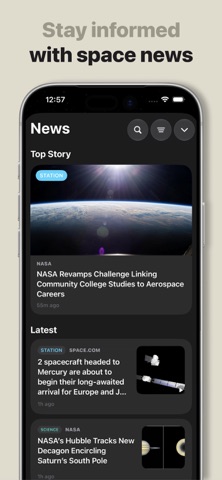
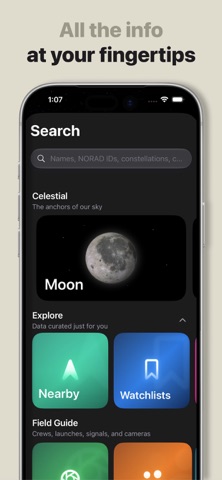
Look up. There’s a lot going on. Live Orbit is a satellite tracker for iPhone and iPad. Explore Earth on a 3D globe, find the International Space Station and other satellites, and plan your next chance to look up. TAKE CONTROL OF TIME Explore calculated satellite positions up to a week backward or forward. Scrub through orbital motion, then glide back to live tracking. TRACK SATELLITES Follow satellite positions and orbit paths. Search by name or NORAD ID, explore satellite details, and save favorites for later. PLAN YOUR NEXT PASS See predicted passes for your location, with timing and viewing direction. Check the information you need before heading outside. POINT YOUR PHONE Use Sky Mode to explore nearby sky directions, identify a satellite marker, and return to its details. Switch to the camera background when you want AR guidance. Pointing depends on your device's sensors and tracking conditions; satellite positions are calculated from orbital data. GO BEYOND EARTH ORBIT Explore Moon, Sun, and Mars views, spacecraft information, launches, space weather, and space news in one place. LISTEN TO SPACE Play available SatNOGS ground-station recordings with playback controls and signal imagery. KEEP AN OBSERVING LOG Use Radio Toolkit to plan sessions, save observations, and work through radio and antenna calculations. Receiving satellite radio signals requires external equipment; your iPhone is not a satellite radio receiver. Location is optional. Enable it for local passes and pointing. No Live Orbit account is required. Some features require Live Orbit Pro, available as an auto-renewable subscription. The purchase screen shows the current price, duration, and any eligible trial before you subscribe. You can restore purchases in the app and manage or cancel your subscription in your Apple account settings. Privacy Policy: https://www.liveorbitapp.com/privacy/ Terms of Use: https://www.liveorbitapp.com/terms/ Apple Standard EULA: https://www.apple.com/legal/internet-services/itunes/dev/stdeula/
What's new · 2.2
Live Orbit 2.2 now supports iPad, with a native workspace designed for its larger display. Explore the globe alongside satellite browsing and details, with layouts that adapt to portrait, landscape, and resized windows.
Details