Chart standing · US
Screenshots
Similar apps
Competitors and close alternatives, as estimated by AppTracker.
About
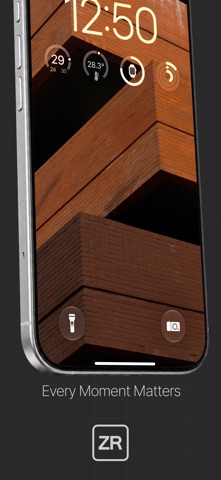
Forget complex settings — just focus on the joy of the moment. ZRcamera is a camera app built around carefully curated colors and a minimal, tactile experience. No ads, no subscriptions, no accounts. Every shooting and editing feature is included when you buy the app; extra look packs and library upgrades are optional one-time purchases inside it. ■ Five film-tone looks, made in-house + 7 bundled LUTs *Five core looks St · Ne · Po · Hm · Hc *Seven bundled LUTs ZR_Seoul_Midnight - Deep tones like a city at night, calm contrast and restrained saturation ZR_Busan_Vivid - Colors that come alive, everyday scenes rendered brighter and sharper ZR_Daegu_Chrome - The quiet air of a city, natural tones and contrast for everyday streets ZR_Jeju_Sunset - The warmth of golden hour, soft sunlight rendered naturally ZR_Gyeongju_Temple - Stillness, as if time had paused, muted color with gentle, weighty contrast ZR_Pohang_East - Clear as the sea at dawn, cool blues and clean contrast ZR_Gunsan_Negative - A vintage film look, low saturation with soft contrast Every look is applied live in the preview before you shoot, and what you save is exactly what you saw. Too strong? Press and hold the LOOK icon to dial it back anywhere from 0 to 100%. ■ Bring your own colors Import your own .cube LUT files into the U1–U3 slots and shoot with them directly. Files with a different grid size or domain are converted automatically. The library holds 20 looks, including the 7 that come with the app - and you can raise that to 50 or unlimited from inside the app. While shooting, press and hold a U slot to swap in another LUT from your library. ■ Shooting made simple with dials · Shutter — Auto (A), then 1/15 through 1/2000 · Dynamic Blur — keeps your subject sharp while the background streaks with the motion · Exposure compensation — ±3EV in 1/3 stops · Focus — auto (AF) or manual (MF), with focus peaking that outlines what's sharp in green · Focus lock — press and hold anywhere on the preview · Aspect ratios 1:1 / 3:2 / 4:3 · rule-of-thirds grid · level · zoom · Flash · self-timer at 3 / 5 / 10 seconds ■ Without looking at the screen · Shoot with the Camera Control button or the volume buttons · Launch straight from the Lock Screen or Control Center ■ Review it right away Browse, delete, and share your photos inside the app. Everything you shoot is collected automatically into a 'ZR' album. The look and settings each photo was captured with appear along the bottom. ■ When you need quiet In galleries, museums, and other quiet places, turn on Quiet Shutter to capture without the shutter sound. Flash is unavailable in this mode, and because advanced processing such as Night mode is skipped, low-light shots differ in quality. ■ What we don't collect ZRcamera does not create an account. It contains no ads, no analytics, and no tracking. ZRcamera does not transmit your photos or settings anywhere. Location tagging is optional and off by default. When enabled, the location is written only into the photo's own metadata. ■ Requirements iOS 18.0 or later · iPhone only Camera access is required to shoot. Zoom controls appear only on devices with more than one lens. Privacy Policy https://orbit-jam.com/legal/zr-camera/privacy Terms of Use https://orbit-jam.com/legal/zr-camera/terms Made by Team jAm
What's new · 1.3.0
ZRcamera 1.3.0 • Six new LUT packs - the ZR Store now carries CLOUD HUNTING (sky and clouds), PINK PALACE (a faded old hotel), GREEN AFTER RAIN (green after the rain, 5 looks), PORTRAIT MOOD (portraits), BRITISH SCENES (Britain) and THE OLD CORNER STORE (an old backstreet). That brings the packs to 40 looks in total. • Cropping now feels direct - the crop frame stays put on screen while you drag and pinch the photo into place. Lock an aspect ratio and it holds while you work. • Filter the gallery by album - in the All tab you can narrow photos down to Library, Favorites, ZR, or any album of your own. Press and hold an album chip to reorder them; the order is remembered. • Quiet Shutter is sharper - silent shots went from 1.9MP to 12.2MP. Device name and shooting info such as shutter and ISO are now written into the photo as well. • Deleted pack looks come back - if you remove a purchased pack look from your library, one tap of Restore Purchases in the ZR Store brings it back. You are not charged again. • The shooting screen shows the file name of your custom LUT. Settings has a direct link to the ZR Store. A short one-time tip appears the first time you use a new feature. • If there is news, an announcement card greets you at launch. Tap it to close. Apart from fetching that note, the app sends nothing out. • Fixes: a long stall on the album screen when shooting with an album filter on, the side button firing the shutter after returning to an open store screen, and a new announcement losing to an older cached one. • A fresh install now starts with Quiet Shutter on - silent capture at 12.2MP. Turn the sound back on in Settings any time; if you already use the app, your own setting is untouched. • Browse the ZR Store by series - All, Retro, Cinema, Voyage, Life, Storage. New packs are gathered at the top with a NEW badge. • Settings has a row at the bottom for re-reading past announcements.
Details